



The pursuit of the "tack-sharp" image remains one of the most persistent challenges for both amateur and professional photographers. Despite the rapid advancement of digital sensor technology, which now offers resolutions exceeding 60 to 100 megapixels, the fundamental physics of light and motion continue to dictate the clarity of a final exposure. For many practitioners, the disappointment of discovering motion blur or soft focus upon viewing files on a high-resolution monitor is a common experience. This technical analysis explores the multifaceted causes of image degradation and provides a systematic framework for achieving maximum optical precision through stability, environmental awareness, and hardware optimization.

The Viewfinder Paradox: Diopter Adjustments and Visual Perception
A frequent point of confusion for novice photographers occurs when an image appears blurry through the camera’s viewfinder despite the autofocus system indicating a positive lock. In many instances, the issue is not with the lens or the sensor, but with the interface between the human eye and the optical or electronic viewfinder (EVF). Most modern cameras are equipped with a small dial or slider known as a diopter adjustment, located immediately adjacent to the eyepiece.
The diopter allows the user to customize the viewfinder’s focus to match their specific eyesight, effectively acting as a prescription lens for the camera. If this setting is bumped or incorrectly adjusted—often a result of sharing equipment with another user—the photographer may perceive the scene as out of focus even when the camera is capturing a perfectly sharp image. To calibrate this, experts recommend focusing the camera on a high-contrast subject using autofocus and then adjusting the diopter dial until the internal data displays (such as shutter speed and aperture readings) and the subject itself appear crisp to the eye. While this does not technically alter the raw data of the photograph, it is essential for accurate manual focusing and composition.

Ergonomics and the Physics of Handheld Stability
As mobile photography has become the dominant form of casual image capture, many users have adopted a "smartphone grip," holding the camera at arm’s length to view the rear LCD. While convenient, this posture is inherently unstable, as it relies entirely on the small muscles of the arms and wrists to counteract the effects of gravity and micro-tremors.
For professional-grade stability when shooting handheld, the "three-point contact" method remains the industry standard. By utilizing the viewfinder, the photographer creates a point of contact with the face, while the elbows are tucked firmly against the ribcage. This posture turns the upper body into a human tripod. Furthermore, standing at a 45-degree angle to the subject with feet shoulder-width apart provides a solid base of operations.

Advanced techniques involve respiratory control; much like precision marksmen, photographers are encouraged to take a deep breath, exhale halfway, and then gently engage the shutter. This minimizes the internal vibrations caused by the expansion of the chest and the beating of the heart. Crouching or leaning against permanent structures such as walls, trees, or fences can further reduce the "sway" that often plagues long-exposure handheld shots.
The Shutter Release: Squeeze vs. Jab
The physical act of triggering the exposure is a primary source of camera shake. A common error is "jabbing" the shutter button, which exerts downward force on the right side of the camera body, causing a microscopic tilt at the exact moment the shutter curtains open. To mitigate this, photographers should practice a "rolling squeeze." By maintaining constant contact with the button and applying gradual pressure until the mechanism trips, the movement remains internal to the camera rather than shifting the entire chassis.
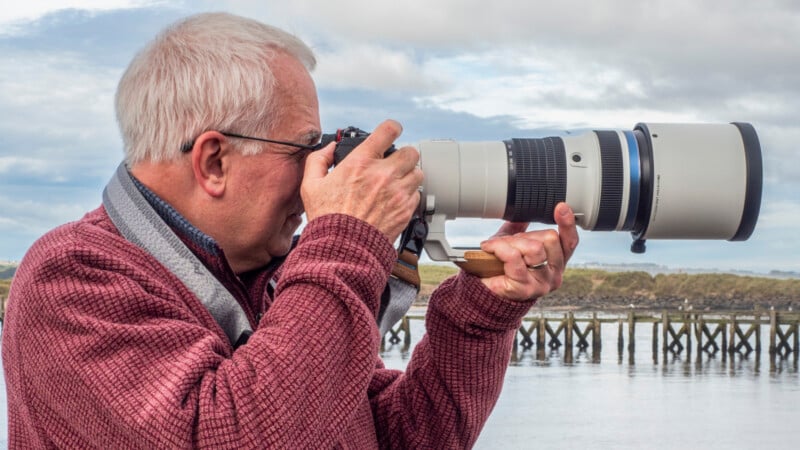
In situations where even the slightest vibration is unacceptable—such as macro photography or long-exposure landscapes—the use of a remote shutter release or a smartphone-linked app is recommended. If hardware triggers are unavailable, the camera’s internal self-timer (set to a 2-second or 10-second delay) allows the vibrations from the initial physical touch to dissipate before the exposure begins.
The Support Hierarchy: Tripods and Monopods
While image stabilization (IS) and in-body image stabilization (IBIS) have made handheld shooting more viable at slower shutter speeds, the tripod remains the ultimate tool for guaranteed sharpness. In the professional community, the selection of a tripod is often governed by the "Golden Triangle of Support," which posits that a user can only choose two of three attributes: low price, light weight, and high stability.

- Stability: Necessary for long exposures and heavy telephoto lenses.
- Weight: Crucial for travel and hiking.
- Price: Higher-quality materials like carbon fiber offer the best stiffness-to-weight ratio but come at a premium cost.
Cheap, lightweight plastic tripods often fail to provide the necessary dampening for mirror slap (in DSLRs) or wind resistance, sometimes resulting in images that are less sharp than those taken by a skilled handheld shooter. For wildlife and sports photographers who require mobility but cannot support the weight of 400mm or 600mm lenses for extended periods, the monopod offers a middle ground. It carries the vertical load of the equipment, reducing muscle fatigue and the resulting "muscle twitch" blur, while allowing for rapid panning and repositioning.
Technological Conflicts: Image Stabilization on Tripods
A counterintuitive phenomenon in digital photography is the potential for image stabilization systems to cause blur when the camera is mounted on a tripod. IS systems function by using gyroscopic sensors to detect motion and moving lens elements (or the sensor itself) to compensate. When a camera is perfectly still on a high-quality tripod, these sensors may detect "phantom" movement or create a feedback loop, attempting to correct for vibrations that do not exist.
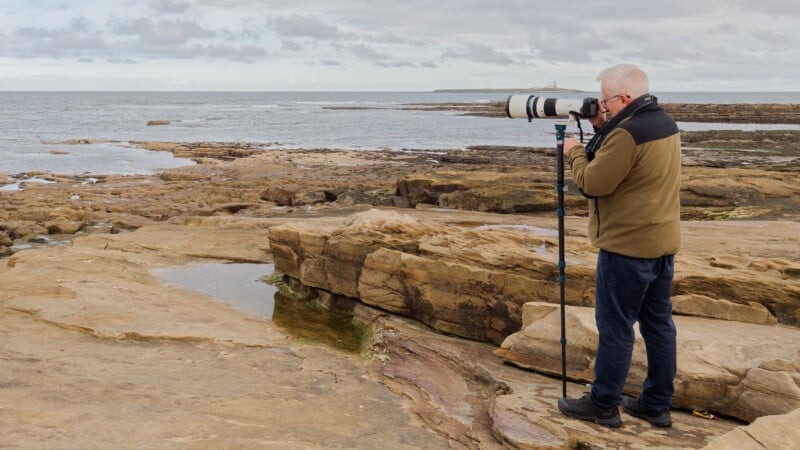
While many modern "intelligent" IS systems can detect tripod mounting and automatically deactivate, older or more basic systems will continue to hunt for movement, resulting in a slight, jittery softness in the final image. As a rule of thumb, unless the manufacturer specifically states otherwise, image stabilization should be toggled "off" when the camera is mechanically secured.
Environmental Variables: Windage and "Flagging"
Even the sturdiest tripod can be compromised by environmental factors, most notably wind. In high-wind conditions, the camera and lens act as a sail. This effect, known as "flagging," occurs when wind catches the flat surfaces of the camera body or the broad circumference of a lens hood, causing high-frequency vibrations.
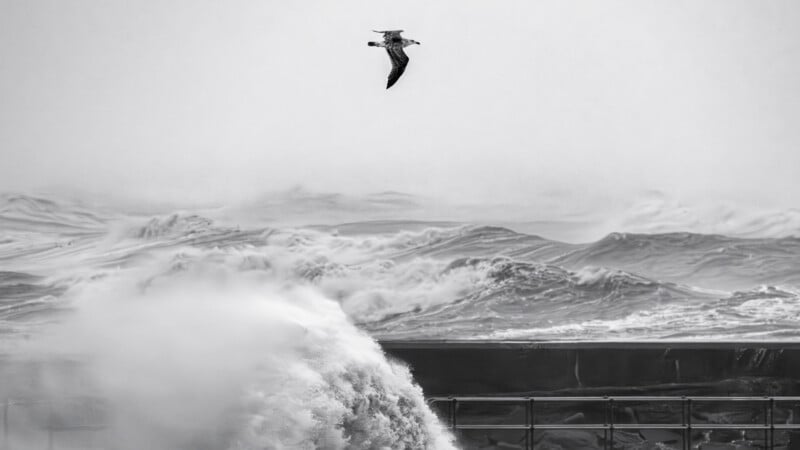
To combat windage, photographers often remove lens hoods if the sun is not in a position to cause flare. Additionally, many tripods feature a hook on the center column, allowing the user to hang a camera bag or sandbag to increase the mass and lower the center of gravity of the setup. However, caution must be exercised; if the weighted bag is allowed to swing in the wind, it may introduce more vibration than it prevents.
Optics and the Filter Debate
The quality of the glass placed in front of the lens is just as critical as the lens itself. Many photographers use UV (ultraviolet) filters as a permanent protective layer for their front elements. While this was essential in the era of film to prevent atmospheric haze, modern digital sensors are equipped with "hot mirrors" that already filter out UV and infrared light.

The debate over protective filters is polarized. Proponents argue that a $100 filter is a cheap insurance policy against a scratched $2,000 lens. Detractors point out that adding an extra layer of glass—especially a low-quality one—introduces two more reflective surfaces into the optical path. This can lead to:
- Reduced Contrast: Light bouncing between the filter and the front element.
- Ghosting and Flare: Artifacts appearing when shooting toward light sources.
- Softness: Cheap filters are rarely perfectly flat, which can distort the light waves before they enter the lens.
Recent testing indicates that high-end, multi-coated filters from reputable brands have a negligible impact on sharpness in most conditions. However, "budget" filter kits sold on mass-market platforms are notorious for degrading image quality, often producing a "muddy" look that no amount of post-processing can fix.

The Limits of Post-Processing: Cropping and Atmosphere
Finally, sharpness is often limited by the laws of information theory. Heavy cropping—taking a small portion of a frame and enlarging it—magnifies every flaw in the original capture. If a subject is too far away, the "per-pixel" sharpness will inevitably drop as the subject occupies fewer photosites on the sensor.
Furthermore, when shooting distant subjects, photographers must contend with atmospheric interference. Heat shimmer (thermally induced refraction) and particulate matter in the air (dust, moisture, pollution) can create a layer of "air soup" that softens the image. In these scenarios, no amount of mechanical stability or optical quality can produce a sharp image, as the light is being distorted by the atmosphere before it ever reaches the camera.

Conclusion and Broader Implications
Achieving maximum sharpness is a holistic process that requires a synergy between hardware, technique, and environmental awareness. As sensor resolutions continue to climb, the margin for error shrinks. A vibration that was invisible on a 12-megapixel sensor in 2010 may be glaringly obvious on a 60-megapixel sensor today. By mastering the fundamentals of stability—from diopter adjustment to the "rolling squeeze" of the shutter—and understanding the trade-offs of support systems and filters, photographers can ensure that their equipment performs at its theoretical limit. The next evolution of this discussion involves the nuances of autofocus tracking and shutter speed selection, which further refine the boundary between a usable shot and a masterpiece of clarity.

