


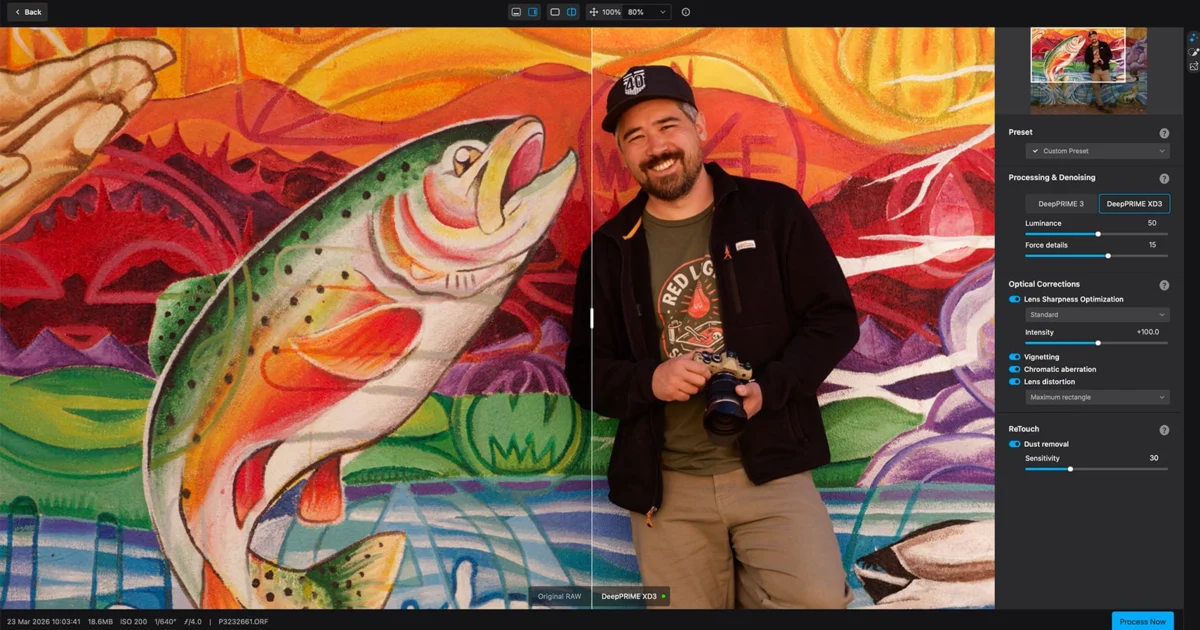
The release of DxO PureRAW 6 marks a significant evolution in the pre-processing of RAW image files, addressing a critical but often overlooked stage in the digital photography workflow. While modern cameras provide high-resolution previews on their integrated LCD screens, photographers frequently encounter technical degradation—including luminance noise, chromatic aberration, and softness—when files are viewed at full resolution on professional displays. DxO PureRAW 6 functions as a specialized intermediary tool designed to bridge the gap between initial image capture and final creative editing in software such as Adobe Lightroom, Photoshop, or Capture One. By leveraging a proprietary database of laboratory-measured camera and lens profiles, the software applies sophisticated artificial intelligence to rectify optical flaws and sensor noise before the user begins the aesthetic grading process.
The Technological Foundation of DxO PureRAW 6
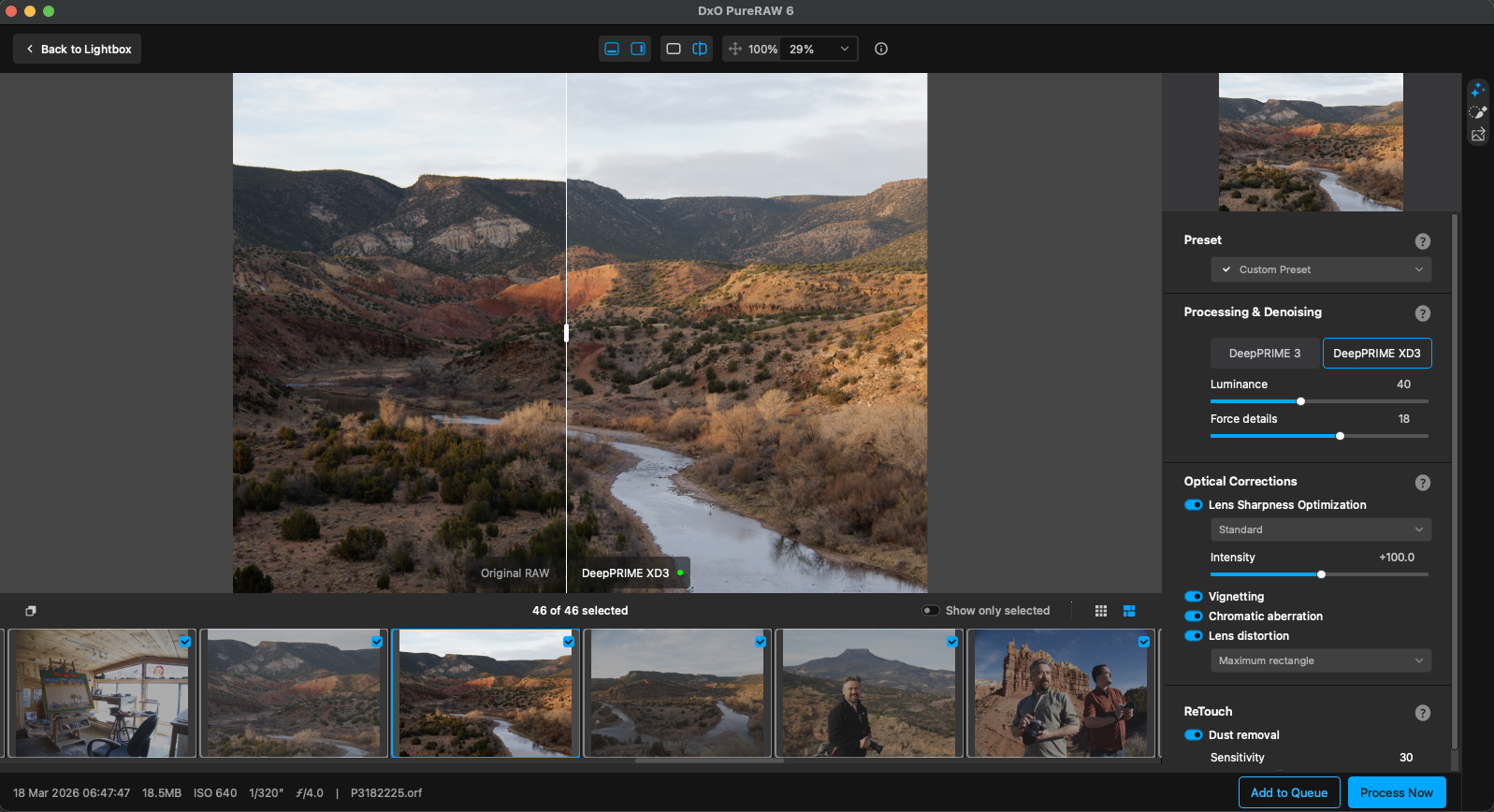
At the core of DxO PureRAW 6 is the DeepPRIME processing engine, a technology rooted in over two decades of optical research. Unlike standard photo editors that apply generic noise reduction across various camera brands, DxO conducts rigorous testing on specific camera-and-lens combinations within controlled laboratory environments. This process results in "DxO Optics Modules," which currently exceed 110,000 unique profiles. These modules map the precise characteristics of a sensor’s noise signature at every ISO level, as well as the specific distortion, vignetting, and sharpness fall-off of a given lens.
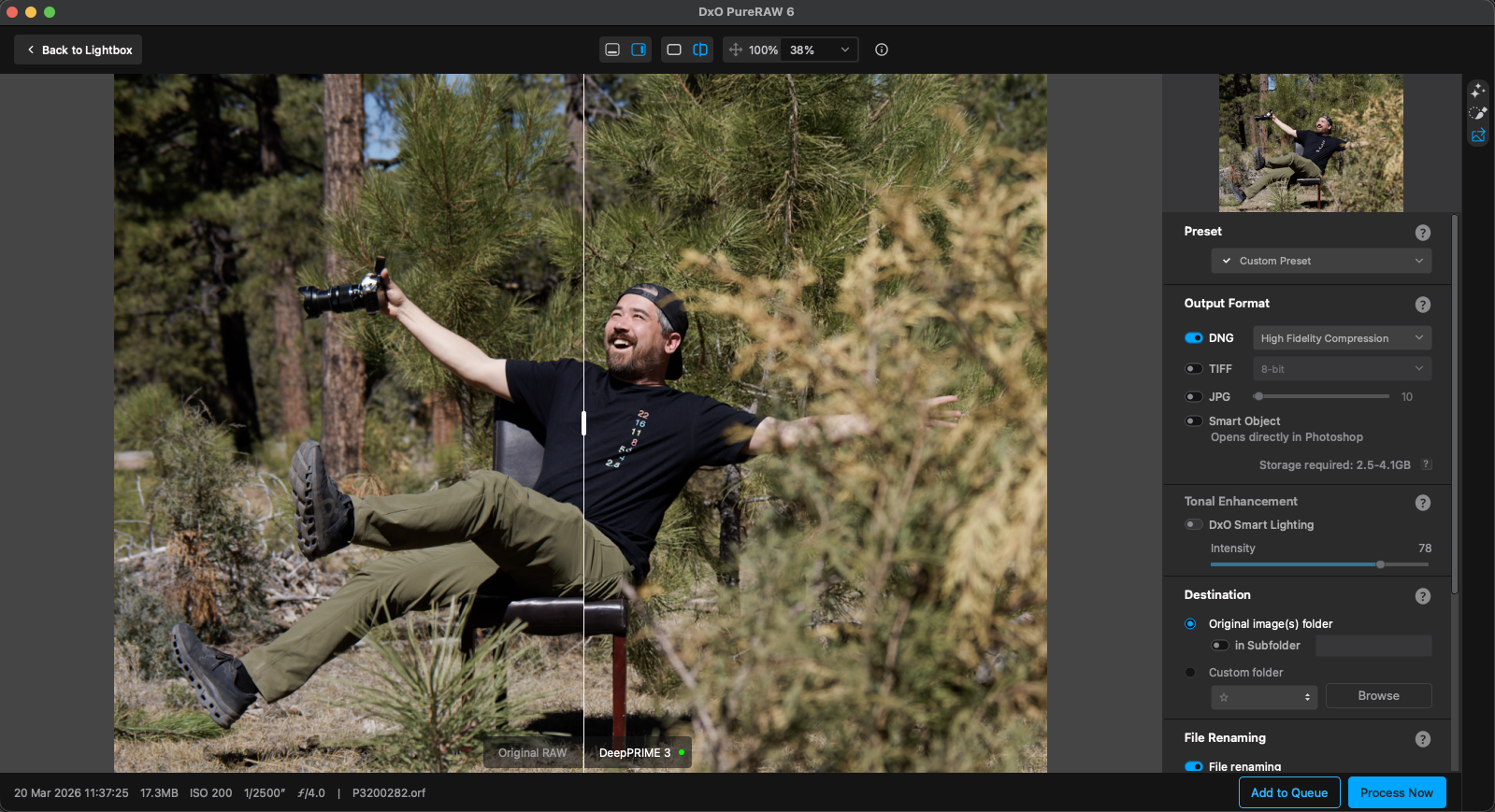
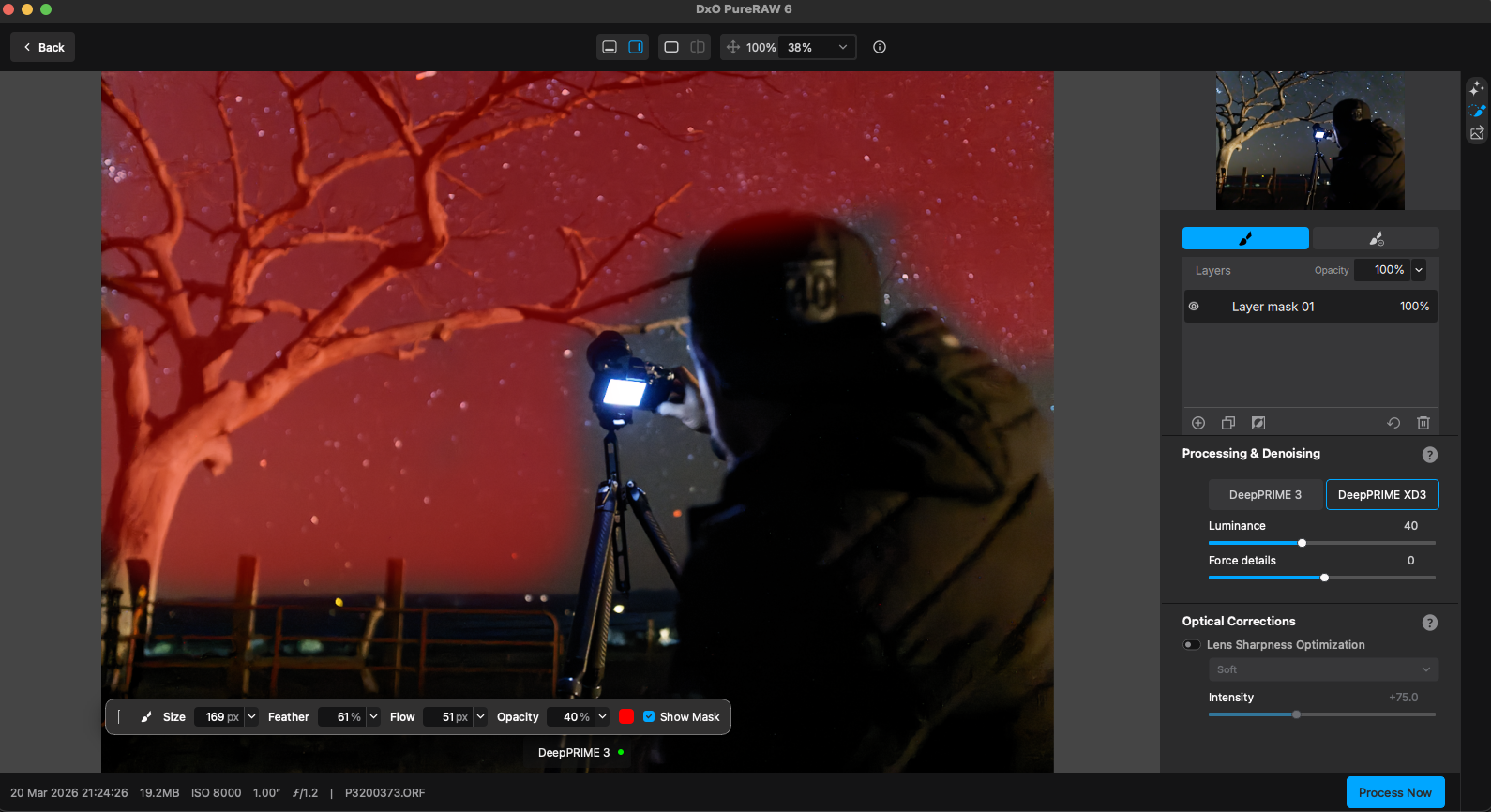
The most significant technical advancement in version 6 is the expansion of the DeepPRIME XD3 (Extra Detail) engine. Previously reserved for Fujifilm’s X-Trans sensors, XD3 is now available for Bayer-sensor cameras from manufacturers including Canon, Nikon, Sony, and OM SYSTEM. This engine utilizes a convolutional neural network trained on billions of image samples to perform demosaicing and denoising simultaneously. By processing these two steps in a single pass, the software avoids the artifacts typically introduced when noise reduction is applied to an already demosaiced file.
Evolution and Chronology of the PureRAW Series
The PureRAW lineage represents DxO’s strategic move to unbundle its world-class processing engine from its full-featured PhotoLab editor.
- PureRAW 1 (2021): Introduced the concept of "pre-processing" RAW files to a wider audience, offering a simplified interface focused solely on DeepPRIME denoising and optical corrections.
- PureRAW 2 & 3 (2022-2023): Focused on workflow integration, adding Lightroom plugins and support for Fujifilm X-Trans sensors.
- PureRAW 6 (Current): Represents a leap in performance and utility, introducing AI-driven sensor dust removal, high-fidelity DNG compression, and the universal application of the XD3 engine.
This timeline illustrates a shift in the industry where specialized AI tools are increasingly used to augment established software suites rather than replace them. DxO has positioned PureRAW not as a competitor to Adobe, but as a "foundational" utility that improves the quality of the data Adobe’s tools have to work with.
Key Features and Technical Enhancements
The latest iteration introduces several features designed to optimize both image quality and storage efficiency.
DeepPRIME XD3 for Bayer Sensors
The XD3 engine is engineered for maximum detail extraction. In high-frequency areas—such as bird feathers, fur, or fabric textures—XD3 identifies and preserves micro-contrast that standard denoising algorithms often smear. While the standard DeepPRIME engine remains ideal for portraits or smooth gradients, XD3 provides a specialized solution for wildlife, sports, and low-light photography where high ISO settings are unavoidable.
High-Fidelity DNG Compression
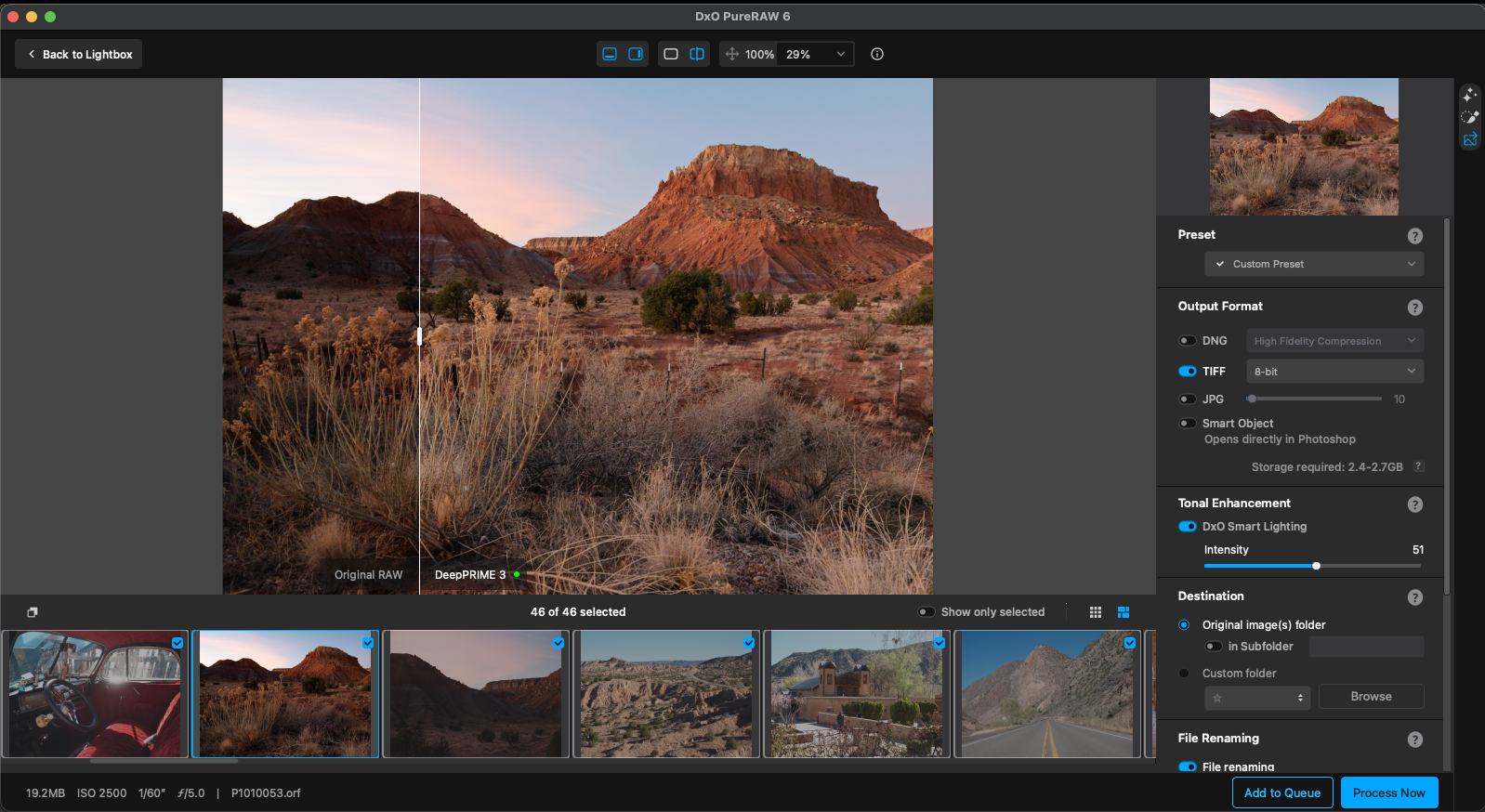
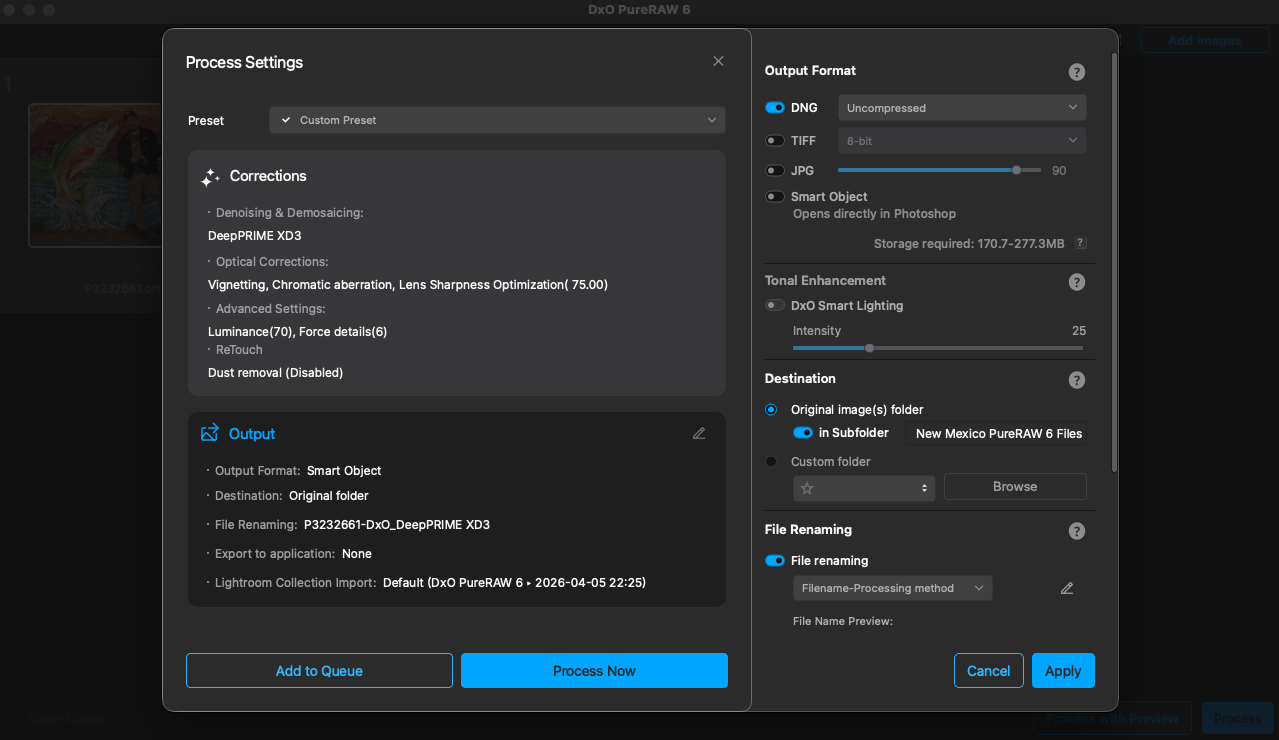
A historical pain point for PureRAW users was the significant increase in file size; an uncompressed Linear DNG file could often be three to four times the size of the original RAW file. DxO PureRAW 6 addresses this with High-Fidelity DNG Compression. Technical benchmarks show that a 57.8MB original RAW file, which previously expanded to a 136MB uncompressed DNG, can now be reduced to a 17.2MB compressed DNG without a loss in perceptible image quality. This 80% reduction in processed file size is a critical development for professional photographers managing large-scale archives.
AI-Powered Sensor Dust Removal
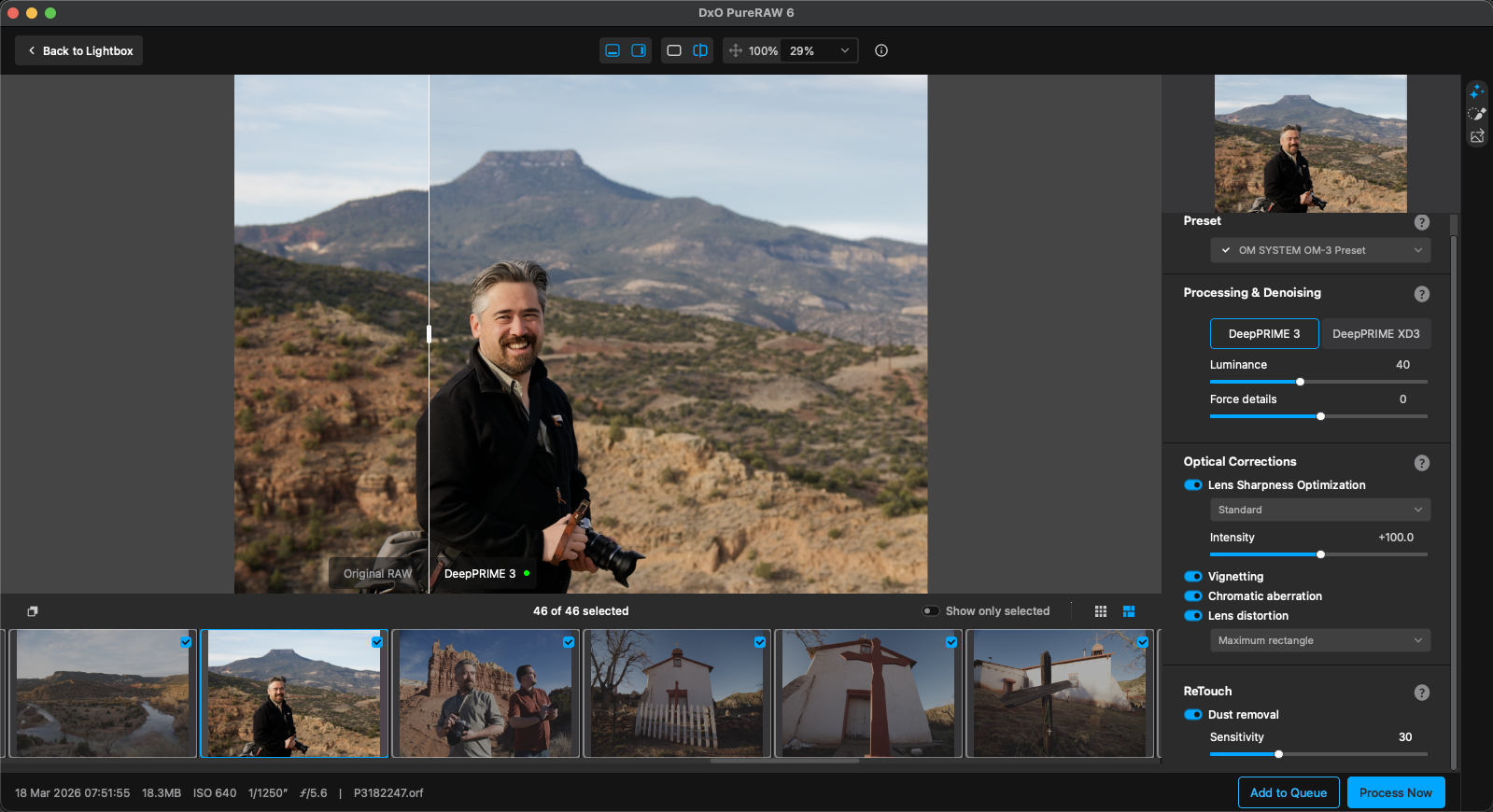
Sensor dust remains a persistent issue for photographers working in the field, particularly when changing lenses in dusty environments. PureRAW 6 introduces an AI-driven detection system that identifies dust spots across entire batches of images. The software provides a Sensitivity slider (0–100) allowing users to calibrate the detection. Because dust spots typically occupy the same coordinates across multiple frames shot at the same aperture, the AI can effectively batch-process these corrections, saving hours of manual "healing" in post-production.
Workflow Integration and Performance Data
DxO PureRAW 6 is designed to be "invisible" within a professional workflow, offering three primary modes of operation.
Lightroom Classic Integration
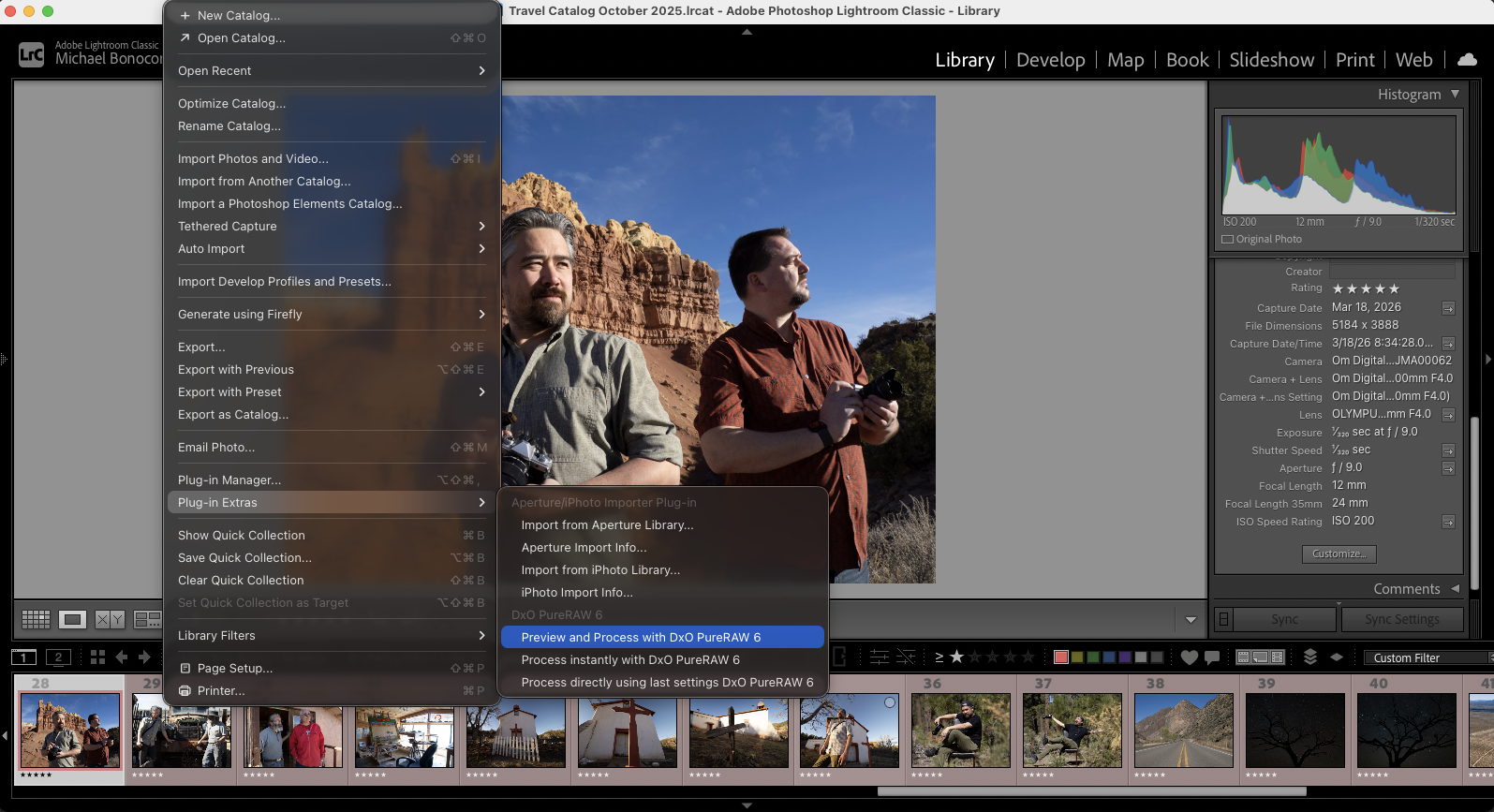
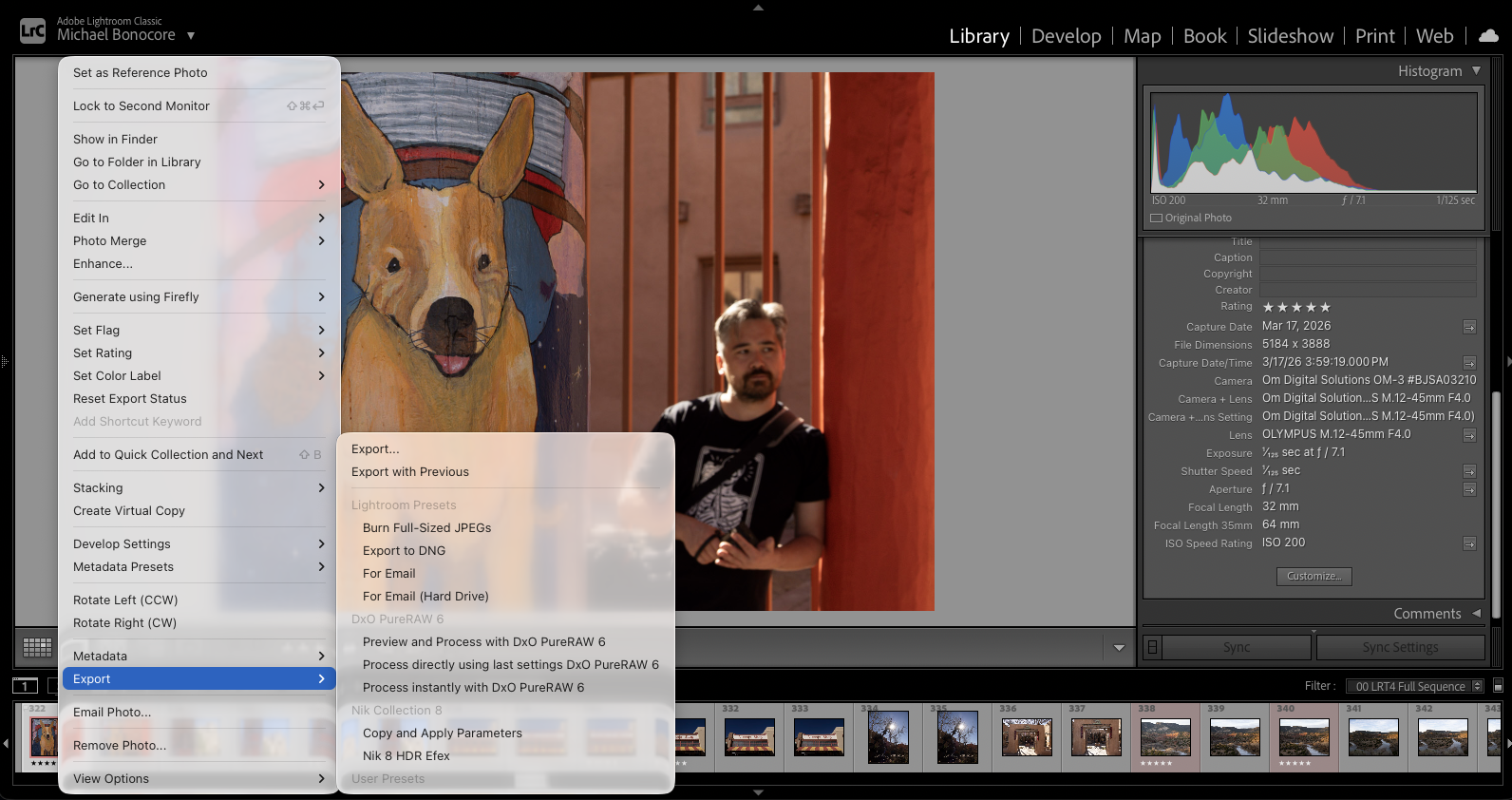
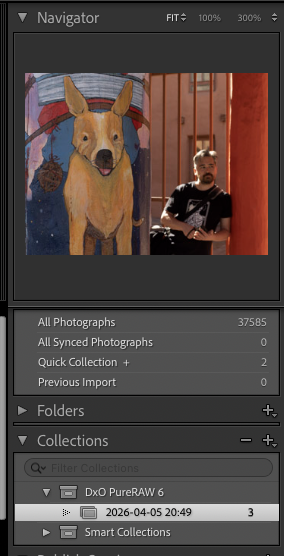
The software installs a dedicated plugin for Adobe Lightroom Classic, appearing under the "Plug-in Extras" menu. This allows photographers to select a series of images, send them to PureRAW for processing, and have the resulting cleaned DNGs automatically imported back into their Lightroom catalog, organized into date-named collections. Crucially, the plugin transfers all metadata, including star ratings, keywords, and GPS coordinates.
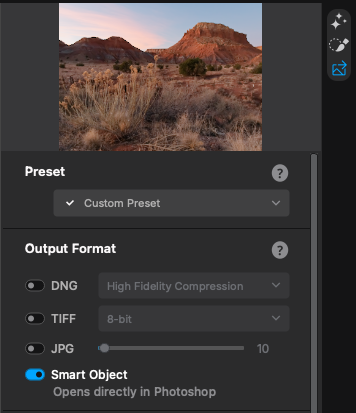
Photoshop and Smart Objects
For high-end retouching, the software supports a Smart Object workflow. When a file is processed for Photoshop, it can be opened as a Smart Object layer. This preserves the PureRAW processing as a non-destructive filter, allowing the user to double-click the layer and re-adjust denoising or sharpening settings even after significant work has been done in Photoshop.
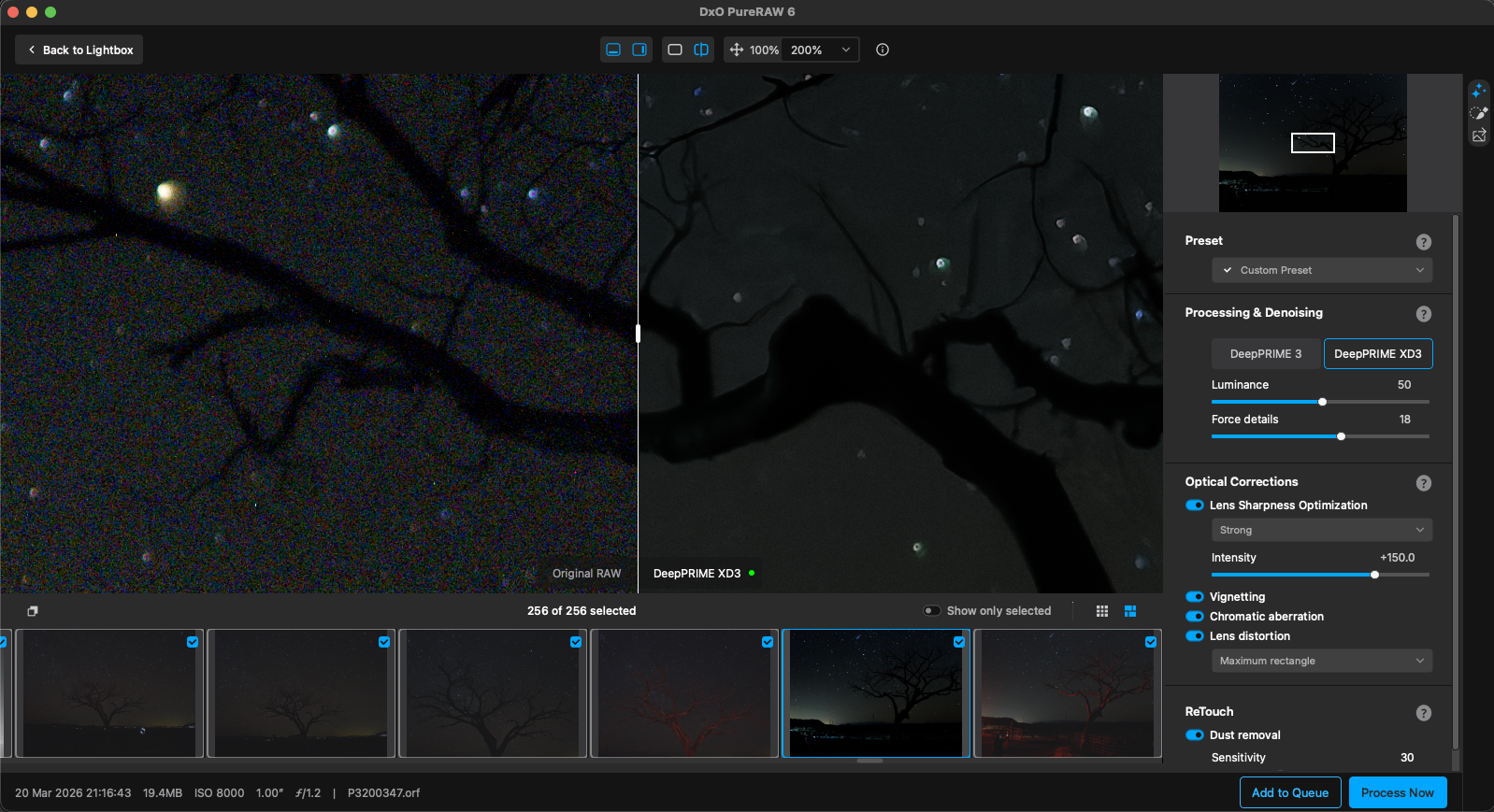
Standalone and Batch Processing
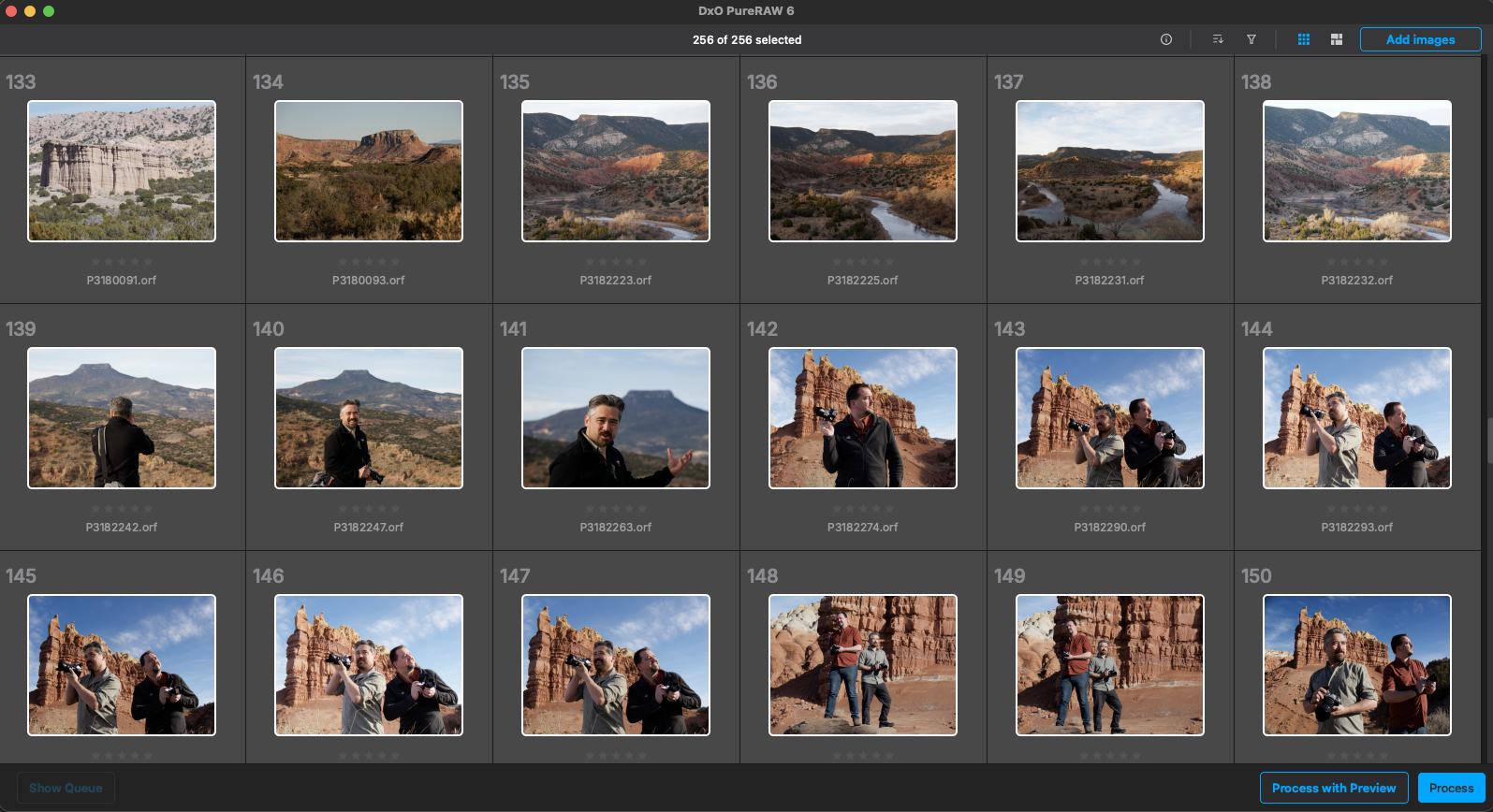
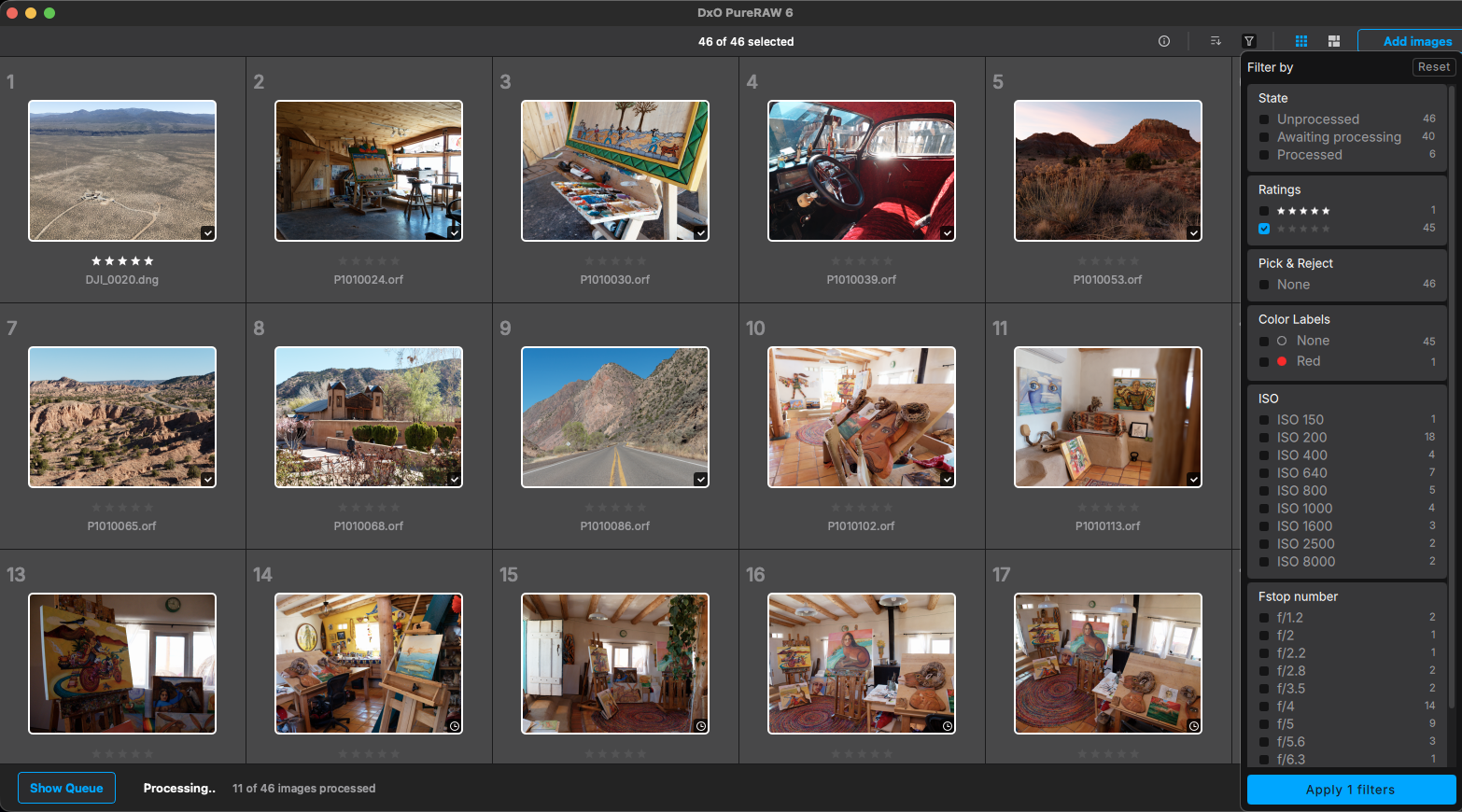
The standalone application features a streamlined "Lightbox" interface. Performance updates in version 6 have optimized the use of hardware resources; the CPU now prepares the next image in a queue while the GPU renders the current one. This asynchronous processing significantly reduces the total time required for large batches, such as wedding galleries or event coverage.
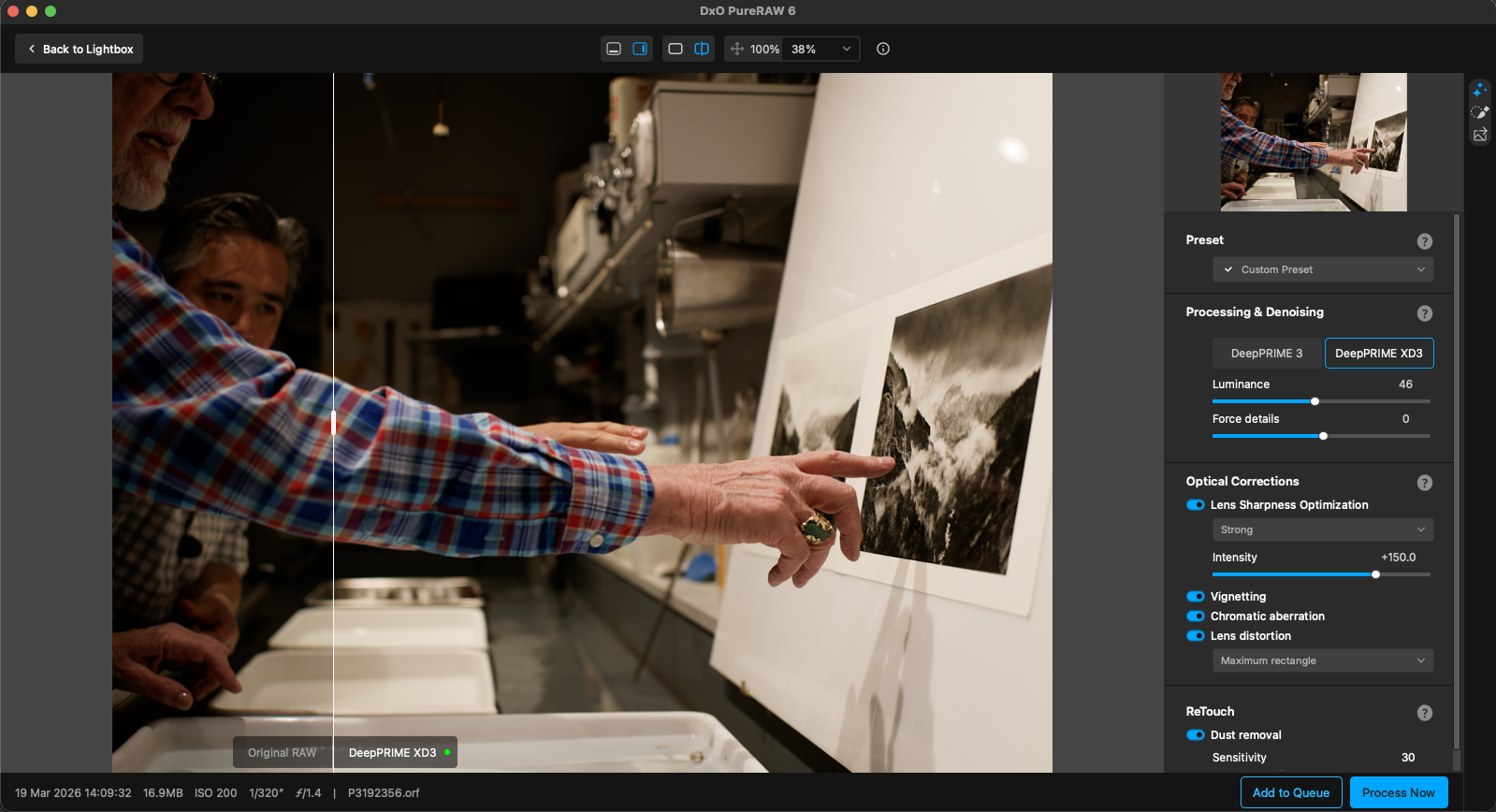
Comparative Analysis: Lab-Measured vs. Generic Corrections
The primary differentiator for DxO is the move away from generic lens profiles. Most photo editing software applies a "one-size-fits-all" correction for a specific lens model. However, DxO’s research indicates that lens performance varies based on the sensor it is paired with. A 24-70mm f/2.8 lens will exhibit different edge softness and chromatic aberration on a 61-megapixel Sony A7R V than it will on a 24-megapixel Sony A7 IV.
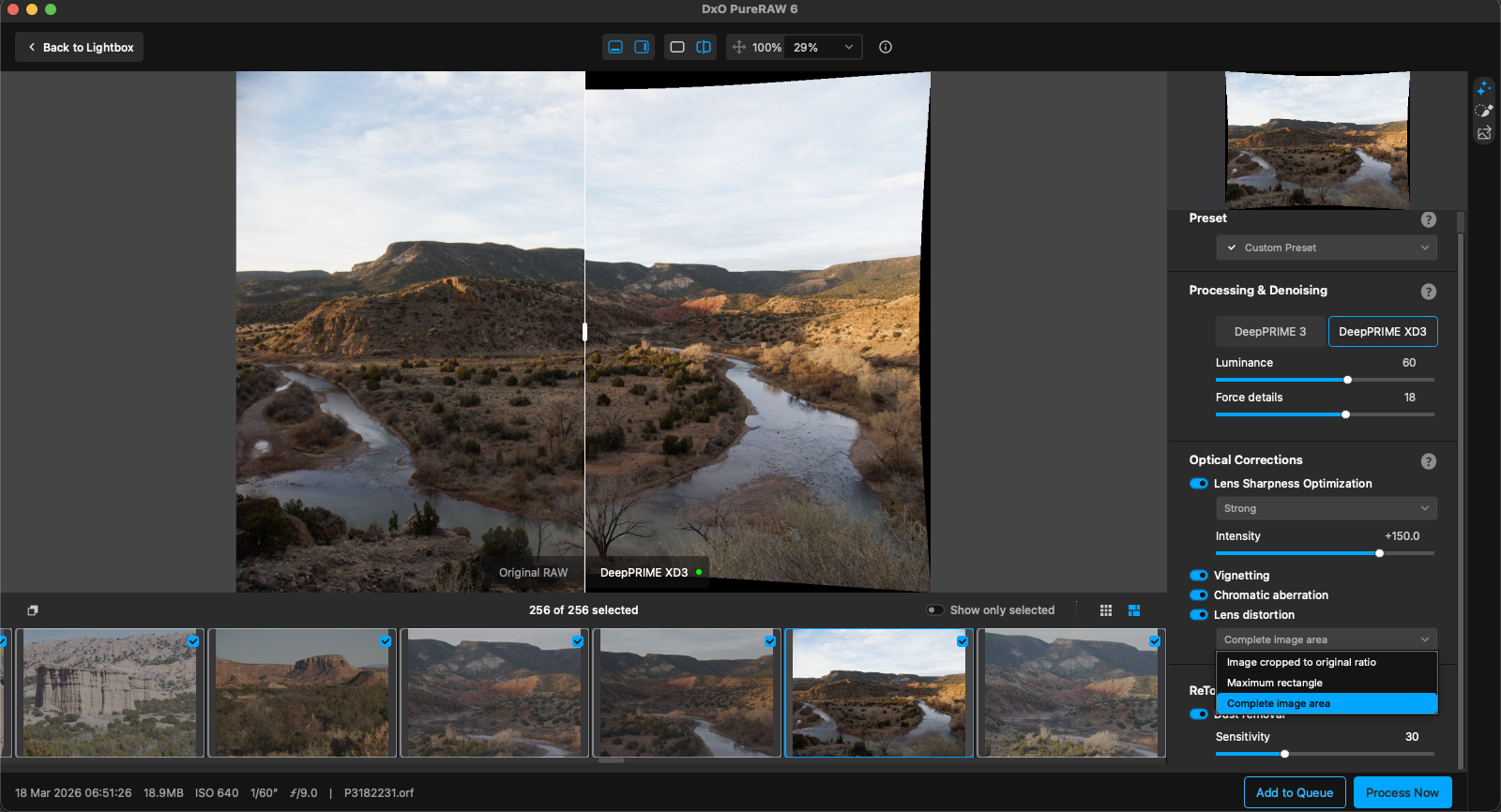
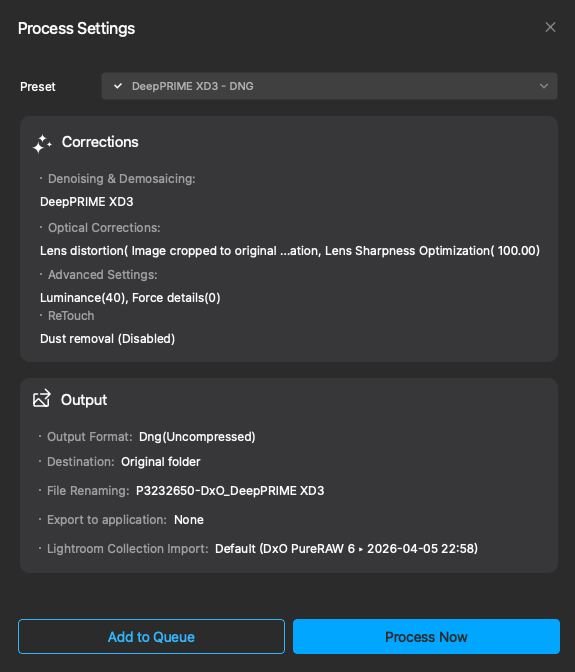
By using camera-specific modules, PureRAW 6 applies "Lens Sharpness Optimization." This does not apply global sharpening (which often leads to halos); instead, it applies more sharpening to the corners of the frame where lenses are naturally softer, and less to the center, resulting in a perceptually uniform sharpness across the entire image.
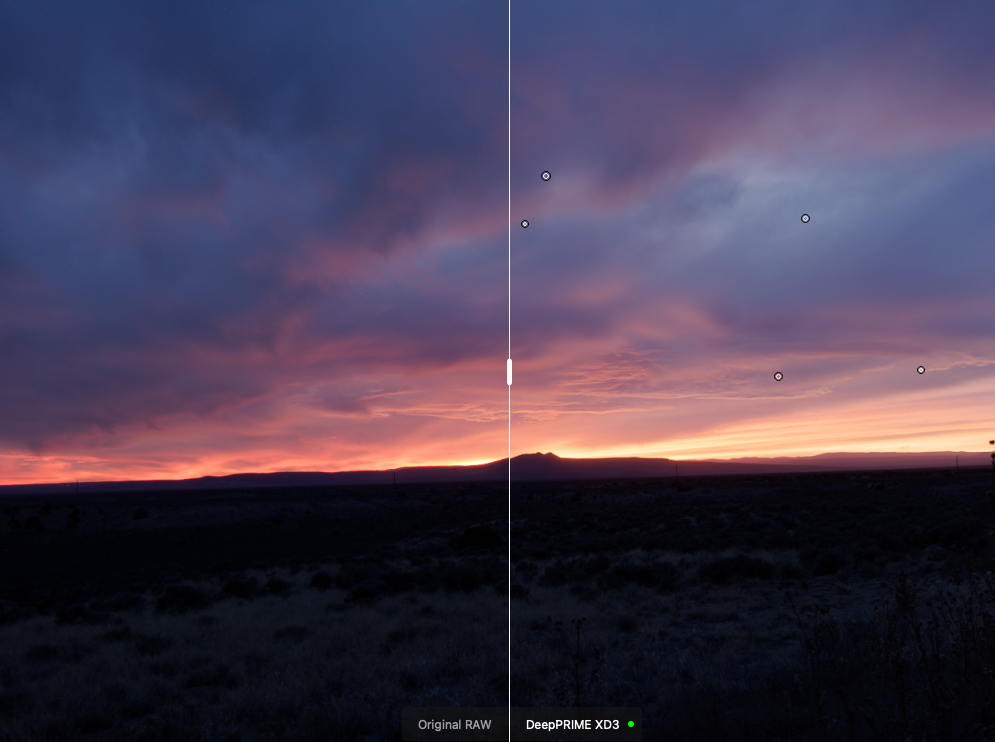
Industry Implications and Professional Response
The professional photography community has largely reacted positively to the rise of AI-pre-processing. Analysts suggest that tools like PureRAW 6 are extending the lifecycle of older camera equipment and smaller sensor formats. By effectively "cleaning" high-ISO noise, a Micro Four Thirds or APS-C sensor can now produce results that were previously only achievable with full-frame systems.
From a journalistic perspective, the use of AI in this context is generally viewed as restorative rather than generative. Because PureRAW 6 focuses on demosaicing, denoising, and optical correction—processes that occur in every digital camera’s internal processor—it is seen as a more sophisticated version of standard RAW development rather than a tool that alters the reality of the captured scene.
Impact on Storage and Long-Term Archiving
The introduction of High-Fidelity DNG Compression in version 6 addresses a broader industry concern regarding "data bloat." As camera resolutions increase toward 100 megapixels and beyond, the storage requirements for professional photographers have become a significant overhead cost. By providing a pathway to cleaner, smaller files that retain the dynamic range and flexibility of a RAW file, DxO is influencing how digital assets are managed over long periods.

Conclusion and Future Outlook
DxO PureRAW 6 represents a maturation of AI’s role in the photographic process. It shifts the focus from "fixing" bad photos to "optimizing" good ones, ensuring that the technical limitations of hardware—such as lens distortion or sensor noise—do not impede creative expression. As AI continues to integrate into every stage of image creation, the laboratory-backed approach of DxO provides a standard of precision that generic algorithms struggle to match.
For the professional and enthusiast market, the software offers a clear value proposition: it automates the most tedious aspects of technical correction, allowing the photographer to focus on the artistic elements of color, light, and composition. As high-resolution displays and large-format printing continue to expose the flaws in standard RAW processing, the "pre-processing" stage defined by PureRAW 6 is likely to become a standard requirement in the modern digital darkroom.

