



The digital photography landscape is witnessing a significant shift in post-processing methodologies as professional editors increasingly adopt techniques traditionally reserved for high-end cinema color grading. Central to this evolution is the use of Linear Camera Profiles within Adobe Lightroom, a workflow that bypasses the standard, contrast-heavy interpretations of RAW data in favor of a flat, mathematically "straight" starting point. While the concept of linear data has existed since the inception of digital sensors, its practical application in photography workflows has remained a niche practice, often overshadowed by the convenience of "Adobe Color" or manufacturer-specific profiles like "Camera Standard." However, as dynamic range in modern sensors expands, the limitations of these baked-in gamma curves are becoming more apparent to artists seeking maximum control over tonal response and color separation.
The Fundamentals of Linear Data and Gamma Curves
To understand the significance of Linear Camera Profiles, one must first examine how a digital camera captures light. Digital sensors are linear devices; they record the number of photons hitting each pixel in a direct relationship. If the amount of light doubles, the digital value doubles. However, human vision is non-linear; we are much more sensitive to changes in dark tones than in bright ones. To make a RAW image look "natural" to the human eye, software applies a gamma curve—essentially a mathematical transformation that redistributes the tones, lifting the shadows and adding contrast to the midtones and highlights.

Standard profiles, such as those provided by Adobe or camera manufacturers like Sony, Canon, and Nikon, apply these curves automatically. While these profiles produce a pleasing image immediately upon import, they "bake in" a specific contrast aesthetic. For the average user, this is a benefit. For the high-end professional, it represents a loss of control. When an editor attempts to recover highlights or adjust shadows on an image that already has a heavy gamma curve applied, they are essentially fighting against the software’s pre-determined math. This struggle often results in "crunchy" textures, unnatural color shifts in the highlights, and digital artifacting.
Chronology of RAW Processing Evolution
The journey toward linear workflows in photography has followed a distinct timeline, heavily influenced by the convergence of still photography and cinematography.
- The Early Digital Era (1990s–2000s): RAW processing was rudimentary. Software focused on basic debayering and color accuracy. Users relied almost entirely on the manufacturer’s interpretation of the data.
- The Rise of the "Digital Look" (2010s): As resolutions increased, the "HDR" (High Dynamic Range) trend took over. Software developers created complex algorithms to compress highlights and lift shadows automatically, leading to the high-contrast, hyper-saturated look common in early digital social media.
- The Cinema Influence (2018–Present): With the popularity of mirrorless cameras capable of high-end video, photographers began noticing the flexibility of "Log" profiles (S-Log, C-Log, V-Log) used in video. These profiles capture a flat, low-contrast image to preserve maximum data for the color grade.
- The Current Shift: Advanced photographers are now seeking to replicate this "Log" or "Linear" starting point in Lightroom to gain the same level of granular control enjoyed by Hollywood colorists using suites like DaVinci Resolve.
Technical Analysis of the Linear Workflow
The methodology for utilizing a Linear Camera Profile involves a departure from the traditional "top-to-bottom" slider approach in Lightroom. Instead, it treats the software more like a node-based compositor.

Phase 1: Profile Creation and Calibration
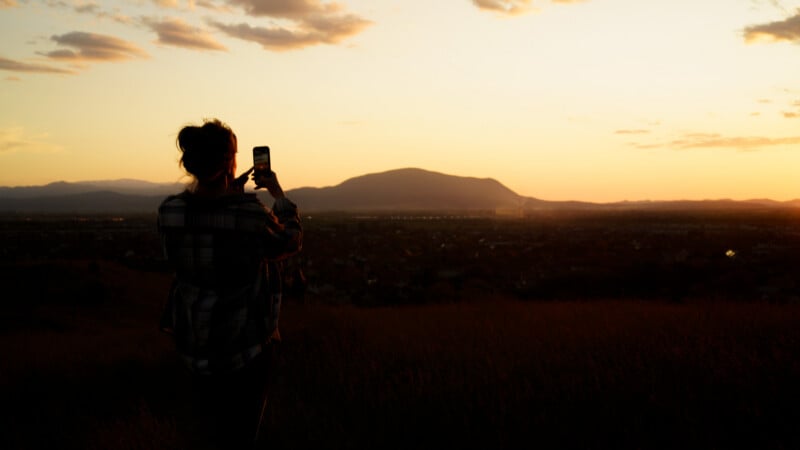
A Linear Camera Profile is not a standard option in most software. It must be created using tools such as the Adobe DNG Profile Editor. By selecting the "Linear" checkbox in the tone curve settings of the profile editor, the software is instructed to ignore the standard Adobe gamma curve. Once this custom profile is applied in Lightroom, the image appears significantly darker and flatter—often described as "muddy" or "under-exposed." This is a more accurate representation of the actual RAW data before aesthetic transformations are applied.
Phase 2: Exposure Balancing and Technical Correction
Before any creative grading occurs, the editor must establish a technical baseline. This includes setting a neutral white balance and using the "False Color" method to monitor exposure. In this stage, the Exposure, Blacks, and Whites sliders are used to center the histogram. The goal is to ensure that the black and white points are as close to the edges as possible without clipping, providing a "clean slate" for the subsequent steps.
Phase 3: The Custom Gamma Transform
The most critical innovation in this workflow is the application of a manual gamma curve using a "Select All" mask. By creating a Luminance Range mask that covers 100% of the image, the editor can use the Tone Curve tool to build a bespoke contrast profile. This is the photographic equivalent of a Color Space Transform (CST) in video editing.
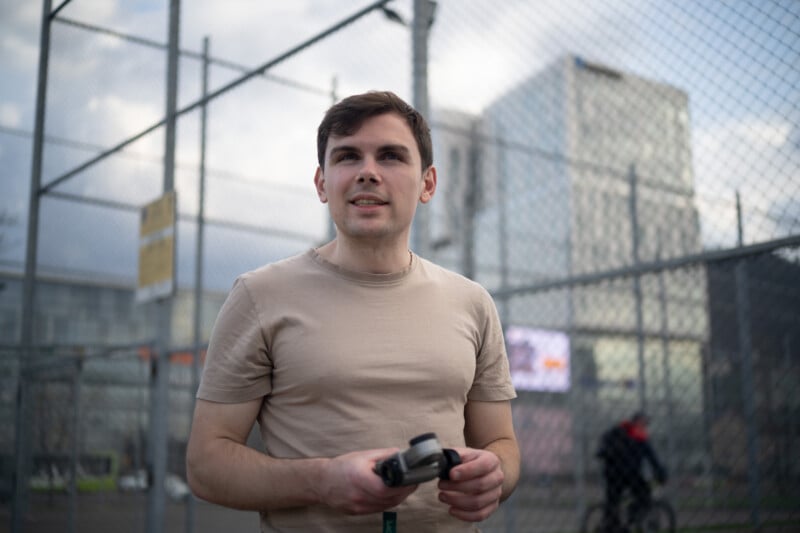
By manually drawing the curve, the editor controls the "roll-off" of the highlights. A gentle, rounded curve in the upper quadrants—known as a "filmic shoulder"—prevents the harsh clipping often seen in digital sensors. Conversely, the "toe" of the curve determines how the shadows transition into pure black.
Supporting Data: Why Linear Editing Improves Color
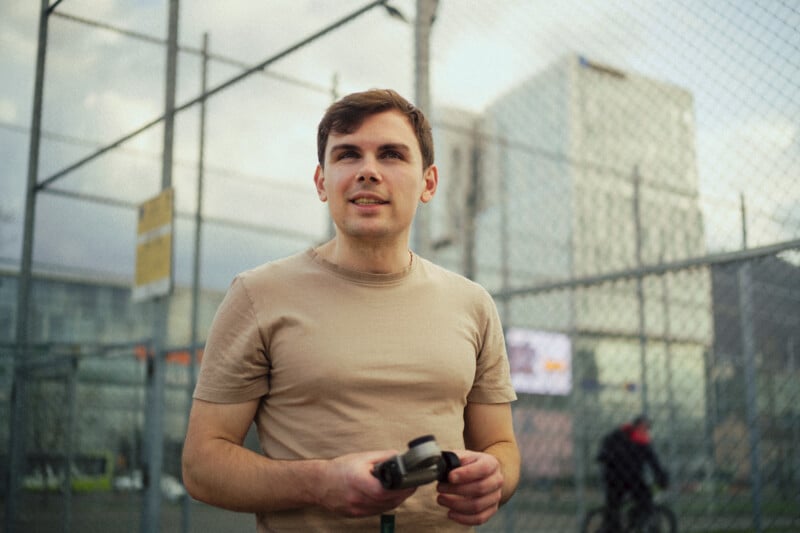
Data analysis of pixel values reveals why color grading on a linear image is superior to grading on a contrast-heavy one. In a standard profile, the colors are already "stretched" by the baked-in contrast. When an editor uses the Color Wheels or HSL panel, they are moving pixels that have already been processed, which can lead to "muddy" tones where colors bleed into each other unnaturally.
In a linear workflow, the color grading occurs on a flat image where the saturation is low and the tonal distribution is even. When the manual gamma curve is applied on top of these color adjustments, it lifts the saturation and contrast simultaneously. This results in a more natural distribution of color, particularly in the midtones, and prevents the "over-saturated" look in extreme highlights or shadows that often plagues digital photography.
Industry Implications and Professional Responses
The adoption of linear workflows has sparked a range of reactions within the professional community. Commercial and fashion photographers, who require the highest level of skin tone accuracy and highlight retention, have been among the earliest adopters.
"The ability to define your own highlight roll-off is a game-changer for high-key studio work," notes one industry analyst. "Standard Adobe profiles often struggle with the transition between skin tones and bright highlights, creating a yellow or magenta shift. A linear workflow eliminates this by allowing the editor to manage that transition mathematically."
However, the workflow is not without its detractors. The primary criticism is the "complexity tax." Creating a custom profile for every camera body and the added time required for manual masking makes this approach unsuitable for high-volume shooters, such as wedding or event photographers. For these professionals, the marginal gain in image quality does not always justify the significant increase in post-processing time.
Limitations and Software Challenges
Despite the technical advantages, the current state of Adobe Lightroom presents hurdles for the linear workflow. The software’s interface is designed for a linear, top-to-bottom progression. One significant limitation is the inability to easily reorder masks via a drag-and-drop interface. In a cinema-style workflow, the order of operations is paramount. If a "Select All" gamma mask is not at the top of the stack, subsequent edits may not render as intended.
Furthermore, the requirement to create a unique profile for every camera model adds a layer of friction. While the process is relatively straightforward, it requires a level of technical knowledge that many photographers may find daunting.
Future Outlook and Conclusion
The rise of Linear Camera Profiles represents a maturing of the digital photography medium. As hardware reaches a plateau in terms of resolution and dynamic range, the next frontier of improvement lies in how that data is interpreted.
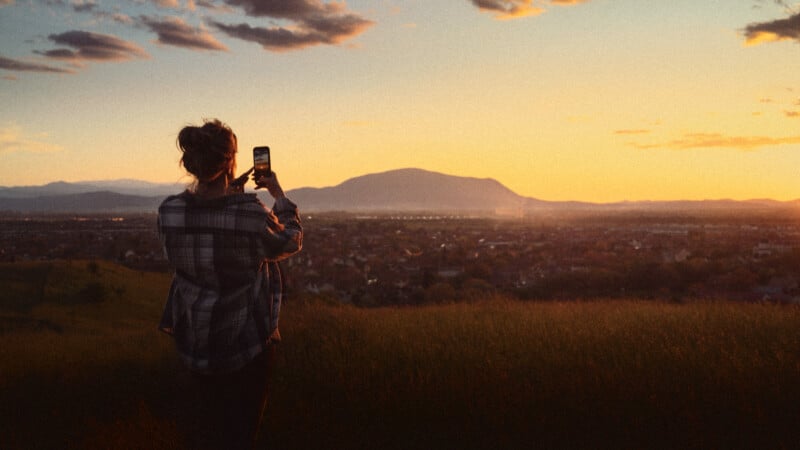
The movement toward "filmic" or "cinematic" aesthetics in photography is more than just a trend; it is a pursuit of a more organic, less "digital" representation of reality. By borrowing the mathematical rigor of the film industry, photographers are finding ways to squeeze every bit of performance out of their sensors.
While Lightroom’s standard profiles will remain the standard for the vast majority of users due to their efficiency, the Linear Camera Profile workflow offers a specialized path for those seeking maximum creative agency. It is a bridge between the world of "taking" a photo and "crafting" an image, providing a level of flexibility that was once the exclusive domain of high-budget motion picture color suites. As software continues to evolve, it is likely that Adobe and other developers will integrate more "log-like" or linear options directly into their interfaces, further blurring the line between still and moving image processing.

