


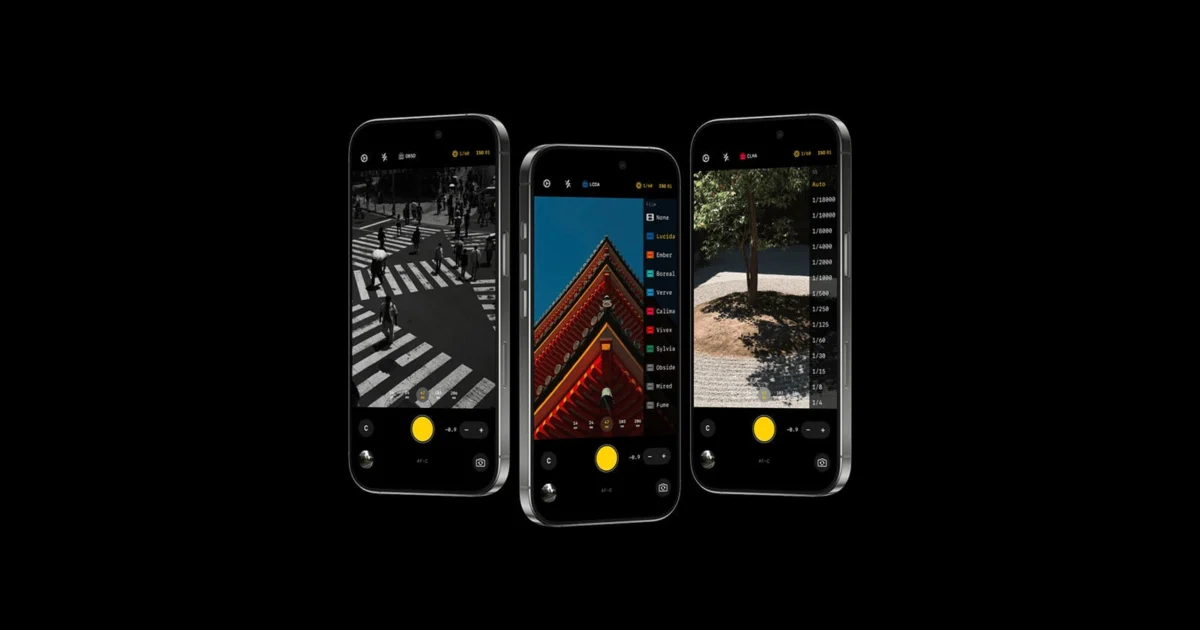
Better Camera has officially entered the competitive landscape of iOS photography applications, positioning itself as a streamlined, purist alternative to the increasingly automated native iPhone camera experience. Developed by photographer David Gor, the application is built on the premise that modern smartphone photography has become overly reliant on computational processing, often at the expense of artistic intent and natural image quality. By offering a suite of manual controls, film-inspired simulations, and a strict "zero AI" policy, Better Camera aims to reclaim the photographic process for users who prefer the tactile feel of traditional cameras but value the ubiquity of the smartphone.
The Genesis of a Purist Photography App
The development of Better Camera was born out of a common frustration shared by professional and enthusiast photographers: the physical burden of dedicated gear versus the software limitations of mobile devices. David Gor, a seasoned photographer with two decades of experience across film and professional digital systems, noted that even his most portable setups—such as the Ricoh GR and the Fujifilm X-T5—frequently remained at home due to their bulk. While the iPhone provided an unrivaled level of convenience, Gor found the output of the native camera app to be "too phone-like," characterized by heavy-handed processing, aggressive noise reduction, and a generic aesthetic that lacked the character of traditional glass and sensor combinations.
Gor’s objective was to create an interface that provided the essential "boxes" of a professional shooting experience without the bloat often found in high-end photography apps. The result is a lightweight utility designed to be "simple where it should be, manual where it counts." This philosophy targets a specific niche in the market: photographers who want their device to act as a digital back for capturing light rather than a computer that interprets and reconstructs a scene through algorithmic guesswork.
Technical Specifications and Manual Architecture
At its core, Better Camera is designed to bypass the standard iOS image pipeline that many users find intrusive. The app captures and saves RAW data directly from the iPhone’s sensor, ensuring that the resulting files are free from the artificial sharpening and "watercolor" effects often associated with Apple’s Deep Fusion and Smart HDR technologies.
Exposure and Priority Modes
To cater to different shooting styles, the app includes several distinct exposure modes:
- ISO Priority: Allows the user to lock the sensitivity to ensure a specific noise floor or aesthetic, while the app adjusts the shutter speed.
- Shutter Priority: Ideal for capturing motion or ensuring sharp handheld shots, letting the software manage the ISO.
- Full Manual: Grants total control over both shutter speed and ISO for complex lighting environments.
- Automatic: A streamlined mode for quick captures that still benefits from the app’s lack of post-processing interference.
Exposure compensation is handled with professional precision, offering adjustments in 1/3-stop increments. This level of granularity is a significant departure from the more rudimentary sliders found in the stock iOS camera app.
Focusing Capabilities
Better Camera introduces four distinct focusing modes to accommodate various genres, from street photography to macro work:
- AF-S (Single Autofocus): Best for stationary subjects.
- AF-C (Continuous Autofocus): Designed for tracking moving subjects.
- Manual Focus: A tactile slider for precise control, often necessary in low-contrast situations where autofocus hunts.
- Zone Focusing: A favorite among street photographers, allowing users to pre-set a focus distance and rely on depth of field to capture candid moments instantly.
White Balance and Color Science
The app provides full Kelvin control for white balance, alongside standard presets. This allows photographers to maintain consistent color temperatures across a series of shots, a task that is notoriously difficult with the native app’s tendency to "auto-correct" every individual frame based on the dominant colors in the view.
The "Zero AI" Philosophy in a Computational Era
The most defining characteristic of Better Camera is its rejection of Artificial Intelligence. In recent years, smartphone manufacturers have leaned heavily into computational photography to overcome the physical limitations of small sensors. While this has resulted in impressive low-light performance and high dynamic range, it has also led to a growing backlash among purists who find the results "uncanny" or "over-processed."
Better Camera consciously avoids:
- Smart HDR: Which often flattens images by over-brightening shadows and suppressing highlights to an unnatural degree.
- AI Denoising: Which can strip away fine textures, making skin look plastic and foliage look like a painting.
- Upscaling and Sharpening: Algorithms that add artificial edges to objects, creating a "digital" look that many find unappealing compared to the soft roll-off of professional lenses.
By focusing on capturing the raw signal from the sensor, Better Camera preserves the organic noise and grain that give images a sense of depth and realism.
Aesthetic Tools: Film Simulations and Grain Rendering
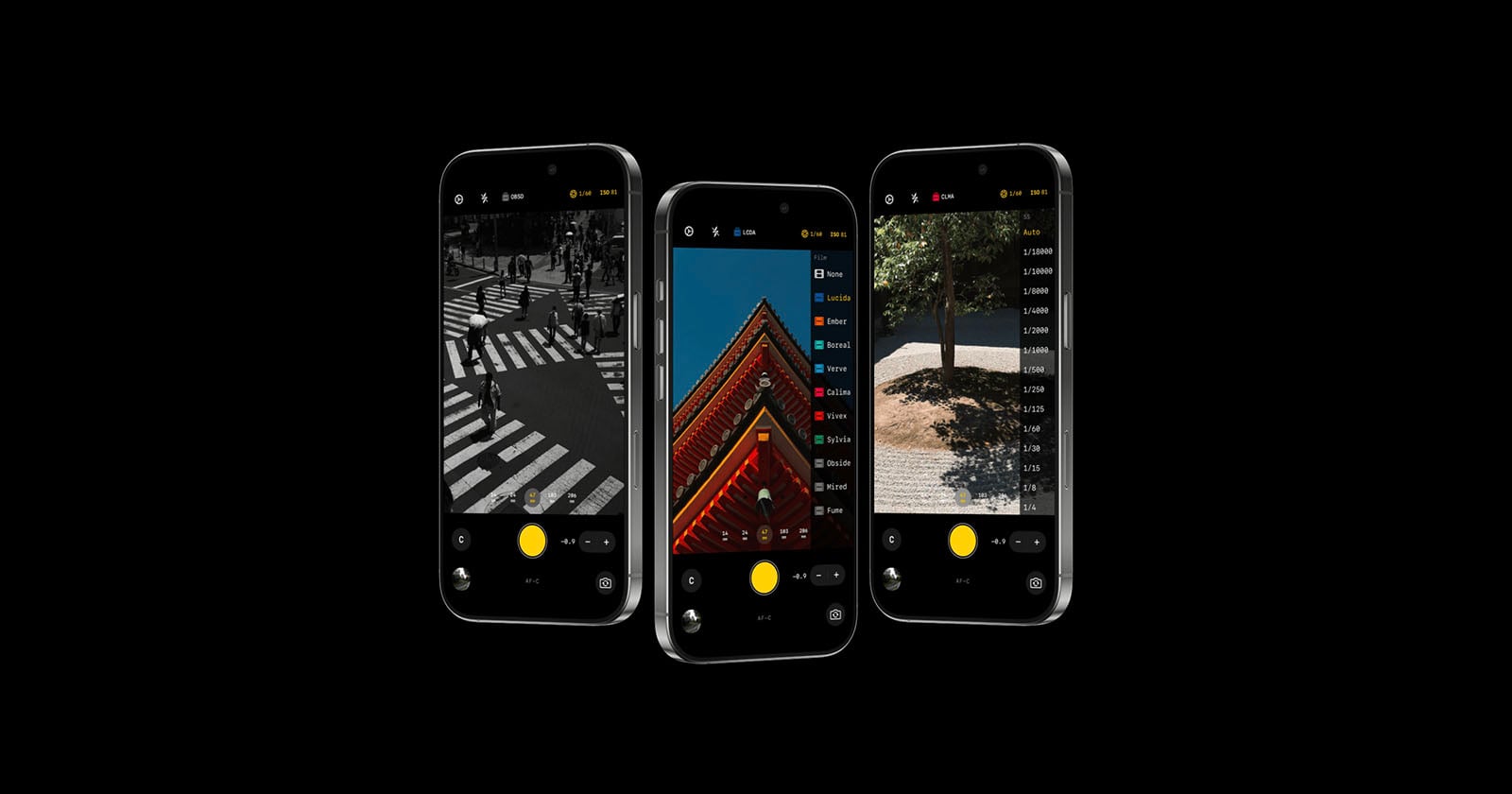
While the app avoids AI, it does not ignore the creative desire for specific "looks." Better Camera includes nine film simulations inspired by classic analog stocks. These are not meant to be heavy filters but rather subtle color science shifts that emulate the response of traditional film to light and color.
To complement these simulations, the app features a sophisticated grain engine. Unlike many apps that use a static transparent overlay of grain, Better Camera utilizes a Metal compute shader to render grain on a per-pixel basis. This monochromatic grain is applied equally across all color channels, resulting in a more realistic texture that reacts to the underlying image data. Users can choose from four intensity levels, allowing for everything from a subtle "fine-grain" professional look to the heavy, gritty texture associated with high-ISO black and white film.
Workflow and File Management
For professional photographers, the utility of an app is often determined by its integration into a larger workflow. Better Camera supports a variety of high-quality file formats:
- Lossless TIFF: For maximum data retention without the complexities of RAW development.
- HEIF (High-Efficiency Image File): For high-quality captures with smaller file sizes than JPEGs.
- JPEG: For universal compatibility and immediate sharing.
- Full EXIF Metadata: Every shot includes comprehensive data regarding lens focal length, exposure settings, and GPS coordinates, ensuring that images are easily organized in professional catalogs like Adobe Lightroom or Capture One.
A standout feature for power users is the app’s ability to preserve settings. Many third-party camera apps reset to default "Auto" modes after being closed by the iOS power management system. Better Camera retains the user’s last-used settings, allowing a photographer to "set and forget" their preferred configuration, making the phone feel more like a dedicated piece of hardware.
Market Context and Competitive Landscape
The release of Better Camera comes at a time when the "Pro" moniker on smartphones is being scrutinized. While the hardware of the iPhone 15 and 16 Pro series is undeniably capable, the software interface remains designed for the masses. This has created a lucrative market for third-party developers.
Better Camera enters a space currently occupied by established giants like Halide, ProCamera, and Obscura. However, Gor’s app differentiates itself through its extreme minimalism and "Zero AI" stance. While Halide has moved toward incorporating its own advanced "Process Zero" to counter Apple’s processing, Better Camera’s entire architecture is built around this concept from the ground up, offering a different UI philosophy that prioritizes speed and simplicity over a dense feature set.
Pricing and Availability
Better Camera is currently available on the Apple App Store. Following the modern software-as-a-service (SaaS) trend, the app utilizes a subscription model while also offering a "buy-it-once" option for long-term users.
- Free Download: Users can test the interface and basic functionality.
- Monthly Subscription: $7.99
- Annual Subscription: $19.99
- Lifetime License: $39.99
This pricing structure reflects the ongoing costs of maintaining an app against the frequent updates to the iOS SDK and new iPhone hardware releases.
Implications for the Future of Mobile Photography
The emergence of apps like Better Camera signals a maturing market where "more" is no longer always seen as "better." As AI continues to dominate tech headlines, there is a clear counter-movement seeking "authentic" digital experiences. Better Camera’s success will likely be a barometer for how many iPhone users are willing to trade the "magic" of computational photography for the "honesty" of a manual sensor readout.
By empowering users to take responsibility for their own exposure and focus, Better Camera does more than just take photos; it encourages a more deliberate, thoughtful approach to mobile photography. In an era where billions of photos are taken every day, the app offers a path back to the craft of photography, proving that the best camera is not just the one you have with you, but the one that lets you see the world exactly as it is.

