


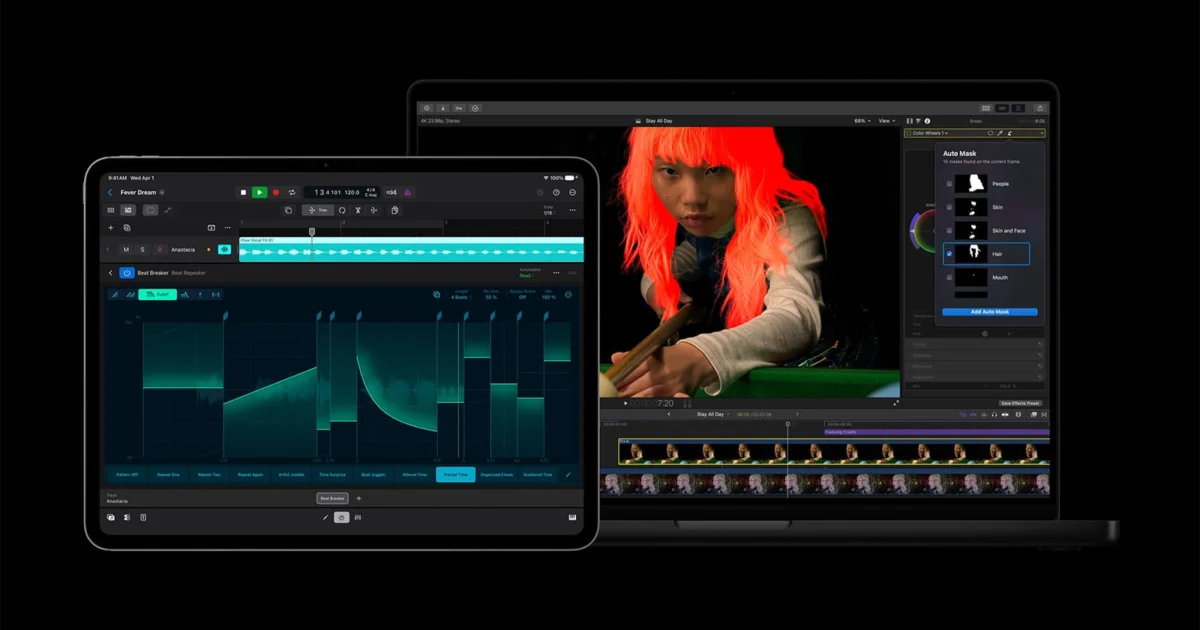
Apple has officially released a comprehensive series of updates for its Creator Studio suite, signaling a significant leap forward in the company’s efforts to provide an integrated, AI-driven alternative to traditional creative software packages. These updates, which affect flagship applications including Final Cut Pro, Pixelmator Pro, and Final Cut Camera, represent the first major expansion of the Creator Studio platform since its highly anticipated debut in January 2026. By leveraging the advanced neural processing capabilities of Apple Silicon, the new features aim to automate tedious post-production tasks, allowing visual and audio creators to focus on the narrative and aesthetic dimensions of their work.
The July 2026 update cycle focuses heavily on the integration of on-device artificial intelligence, particularly within Final Cut Pro. As the cornerstone of Apple’s professional video editing ecosystem, Final Cut Pro has received several tools designed to streamline high-end workflows on both macOS and iPadOS. These include the new Auto Mask tool, AI-generated captions, and an enhanced version of the Match Color algorithm. Simultaneously, the company has tightened the integration between its video tools and Pixelmator Pro, the photo-editing powerhouse that Apple recently brought into its first-party creative fold, further bridging the gap between static and motion graphics.
A New Era for Final Cut Pro: AI-Driven Precision
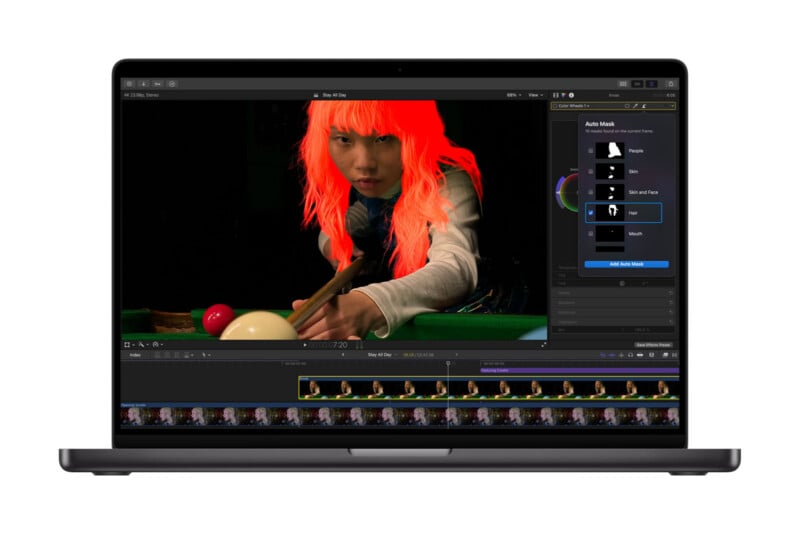
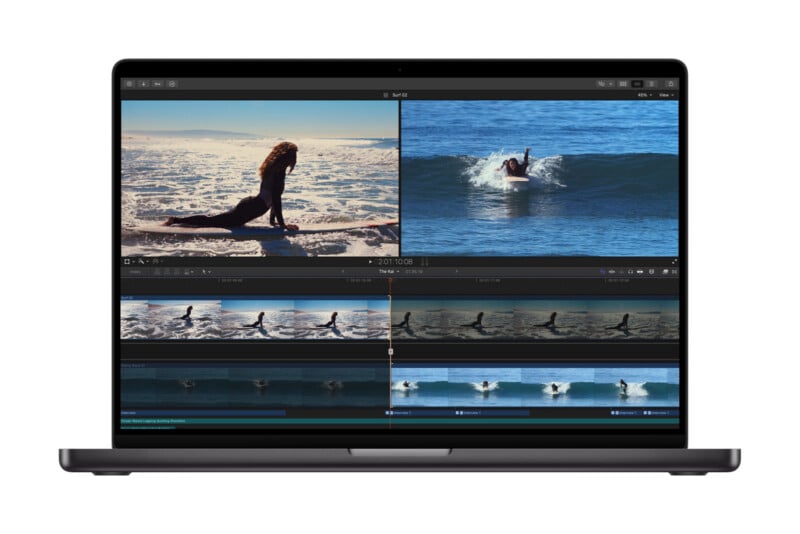
The most substantial technical advancements in this update are found within Final Cut Pro for Mac. The introduction of the Auto Mask tool marks a paradigm shift in how editors approach selective adjustments. Unlike traditional rotoscoping, which often requires frame-by-frame manual tracking or complex third-party plugins, the Auto Mask tool utilizes on-device machine learning to recognize and isolate subjects instantly.
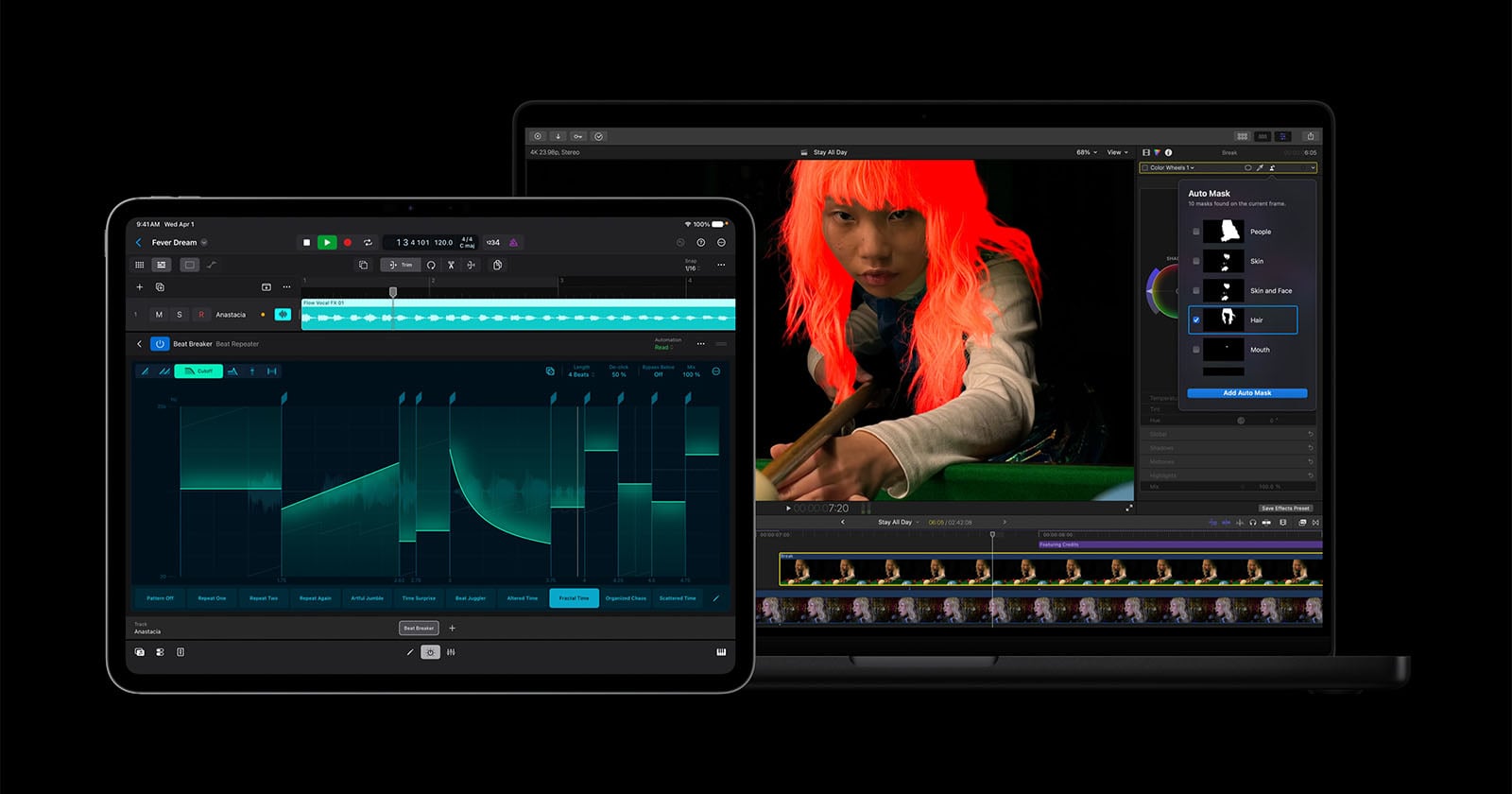
According to technical specifications released by Apple, the AI models powering Auto Mask have been trained to distinguish between complex textures such as hair, skin tones, sky gradients, foliage, and various types of clothing. When a user hovers their cursor over a clip, the interface provides a live preview of detected subjects. Once a subject is selected—either through a direct click or via a drop-down menu in the Inspector—the software generates a precise mask that follows the subject throughout the duration of the clip. This allows editors to apply localized color grades, blur backgrounds, or insert text elements behind subjects with unprecedented speed. This feature complements the Magnetic Mask tool introduced in late 2024, providing a tiered approach to masking that ranges from fully automated subject detection to guided tracking.
Furthermore, Apple has addressed one of the most persistent requests from the creator community: native AI-generated captions. This feature analyzes the audio tracks of a project and automatically generates time-coded text overlays. By processing this data locally on the Mac or iPad’s Neural Engine, Apple ensures that sensitive audio content remains private and does not require an active internet connection. The Edit Detection tool also makes its debut, allowing editors to take a single, flattened video file and automatically cut it into its original constituent clips on the timeline, a feature essential for "reconforming" projects or making quick edits to previously exported master files.
Enhancing the Visual Language with Improved Match Color
Color consistency across disparate shots has long been a challenge for editors working with multiple camera bodies or varying lighting conditions. The July update introduces a revamped Match Color engine that uses advanced computer vision to align the color profiles of different clips. By selecting a "reference frame" from a primary shot, users can command Final Cut Pro to analyze the highlights, mid-tones, and shadows of secondary clips to bring them into what Apple describes as "perfect harmony."
This update is particularly relevant for the growing demographic of "hybrid creators" who may mix footage from an iPhone 17 Pro, a dedicated cinema camera, and drone footage. The improved algorithm is designed to handle extreme variations in color temperature and exposure, significantly reducing the time required for initial "one-light" color passes.
Final Cut Camera and the Professionalization of Mobile Video
Apple’s dedicated video capture application, Final Cut Camera, has also seen significant upgrades designed to cater to professional filmmakers using the iPhone and iPad as primary or "B-roll" devices. The headline feature is the support for Clean HDMI Out. This allows the iPhone to function as a professional camera head, sending a pristine video signal—unencumbered by UI elements or recording indicators—directly to external monitors or high-end recorders like those from Atomos.
In addition to connectivity improvements, Final Cut Camera now supports a wider array of professional codecs, including ProRes LT. This addition is strategic for long-form content creators who require the high quality and post-production flexibility of ProRes but need to manage storage constraints during extended shoots. By offering a more compressed version of the ProRes codec, Apple is enabling filmmakers to shoot longer sequences without sacrificing the 10-bit color depth necessary for professional grading.
Pixelmator Pro: Bridging the Gap Between Photo and Video
The integration of Pixelmator Pro into the Creator Studio ecosystem highlights Apple’s strategy of creating a seamless "round-trip" workflow. With the new update, creators can now export a specific frame from a Final Cut Pro timeline directly into Pixelmator Pro with a single click. This feature is specifically designed for social media managers and YouTube creators who need to generate high-quality thumbnails or promotional graphics from their video footage.
Once the frame is in Pixelmator Pro, users can leverage Apple’s newly integrated generative AI image tools. These tools allow for the expansion of backgrounds, the removal of distracting elements, or the generation of entirely new visual components based on text prompts. By housing these tools within Pixelmator Pro, Apple is positioning the app as a direct competitor to Adobe Photoshop’s Generative Fill, albeit with a focus on privacy-centric, on-device processing.
Expanding the Suite: Logic Pro and Productivity Tools
While the visual tools took center stage, Apple also rolled out updates for the broader Creator Studio family. Logic Pro, the company’s professional audio workstation, received enhancements to its AI-driven session players and spatial audio mixing tools. Meanwhile, the iWork suite—comprising Pages, Keynote, and Numbers—has been updated with better media handling capabilities, allowing creators to embed and play back high-resolution video projects from Final Cut Pro directly within documents and presentations.
Chronology of the Apple Creator Studio
The development of the Creator Studio reflects a multi-year strategic pivot for Apple’s software division.
- Late 2024: Apple releases Final Cut Pro 11, introducing the Magnetic Mask and laying the groundwork for a more modular, AI-centric architecture.
- January 2026: Apple officially unveils "Apple Creator Studio," rebranding its professional applications into a unified subscription and perpetual license ecosystem to compete directly with Adobe Creative Cloud.
- June 2026: Apple previews advanced generative AI capabilities at its Worldwide Developers Conference (WWDC), promising deep integration across macOS and iPadOS.
- July 2026: The first major feature update for Creator Studio is released, delivering on the promises of automated masking, captioning, and cross-app integration.
Industry Implications and Market Analysis
The July 2026 updates suggest that Apple is no longer content with merely providing the hardware for creative work; it is aggressively seeking to dominate the software layer as well. Industry analysts suggest that by offering a more tightly integrated experience than Adobe—specifically one optimized for the "M-series" architecture—Apple is creating a "walled garden" that is increasingly difficult for professionals to leave.
"The introduction of Auto Mask and native AI captions in Final Cut Pro is a direct shot across the bow of Premiere Pro and DaVinci Resolve," says Marcus Thorne, a senior media analyst. "Apple is betting that creators will trade the platform-agnostic nature of Adobe for the sheer speed and efficiency of a 1st-party ecosystem where the software and the silicon are designed in the same building."
However, some professionals remain cautious. While the on-device AI approach offers significant privacy and speed advantages, it limits these features to users with the latest hardware. This "hardware-gating" of software features ensures a steady upgrade cycle for Apple’s MacBook Pro and iPad Pro lines but may alienate creators using older, yet still capable, Intel-based or early M-series machines.
Future Outlook
As the Creator Studio matures, the industry expects Apple to continue its push into generative AI. The integration of image generation in Pixelmator Pro is likely a precursor to generative video tools within Final Cut Pro, such as AI-generated b-roll or background extensions. For now, the July 2026 update stands as a testament to Apple’s vision of a future where the technical barriers to high-quality content creation are systematically dismantled by artificial intelligence, leaving the human creator as the ultimate director of the machine’s capabilities.
The updates are now available for download via the Mac App Store and iOS App Store for all existing Creator Studio subscribers and perpetual license holders of the individual applications.

